
Page 1 of 5 123 ... LastLast
Results 1 to 10 of 50
  1. #1
    EmuTalk Member
    Join Date
    Aug 2006
    Posts
    29

    Cel shader revamped! cdiddy7 hybrid (REAL SHADER)

    Happy new everybody, Last time I started a topic I had a very basic cel shader release. But thats not the case this time, now we're talking some real kick ass post processing shading with minimal texture corruption.
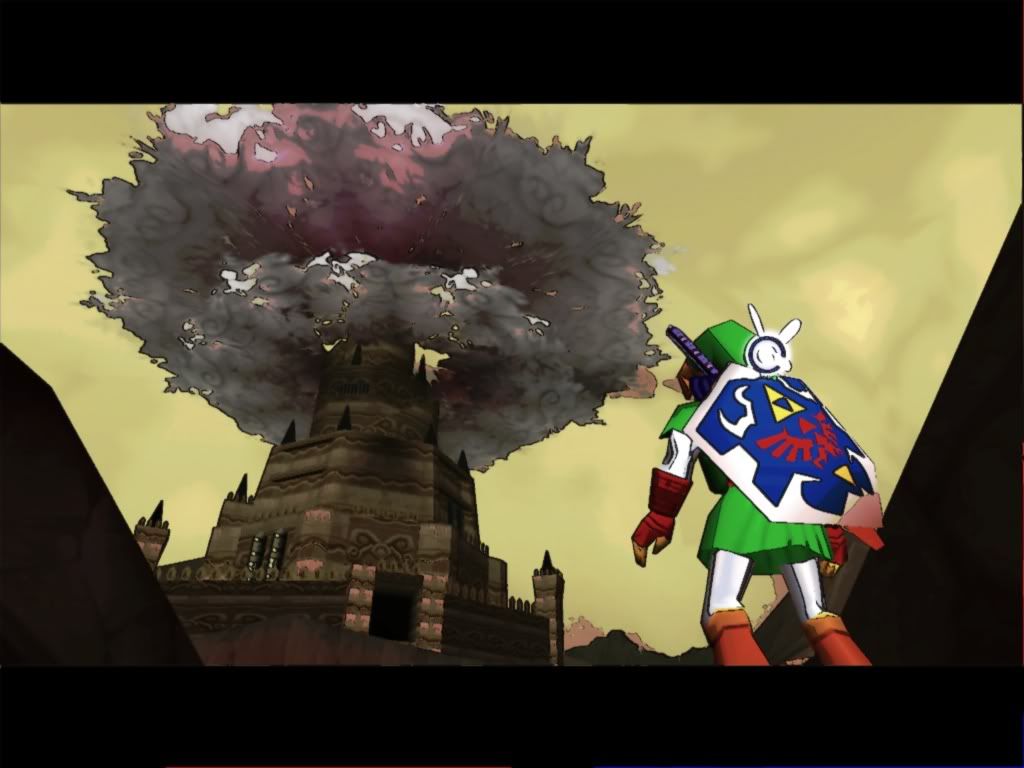
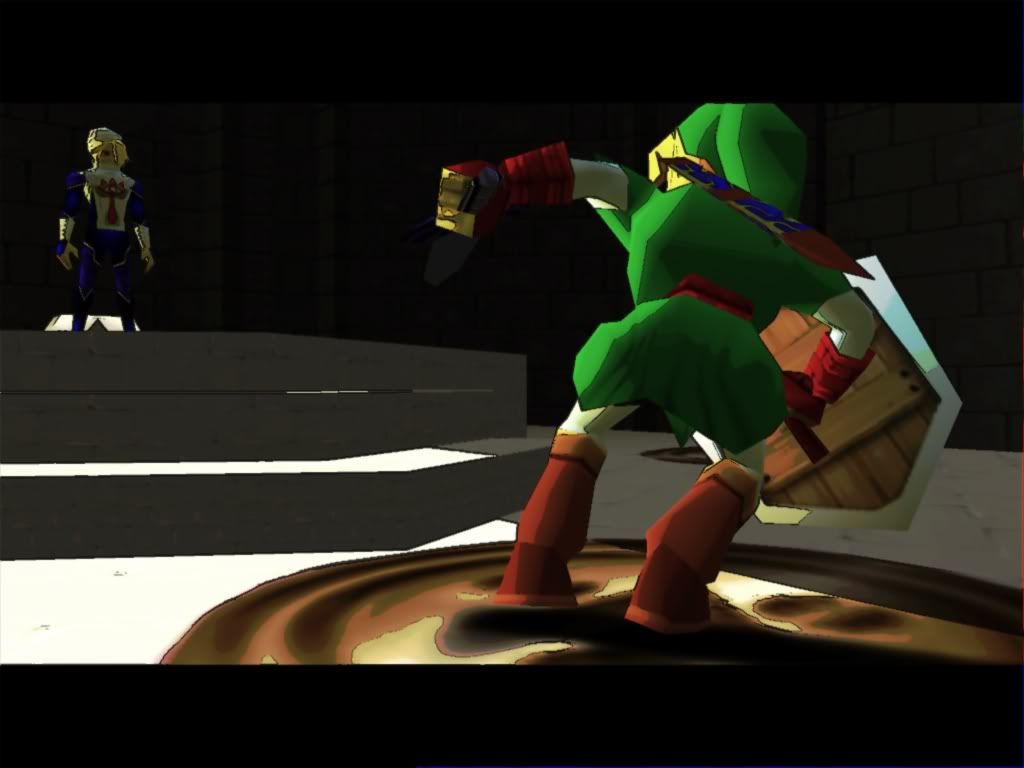
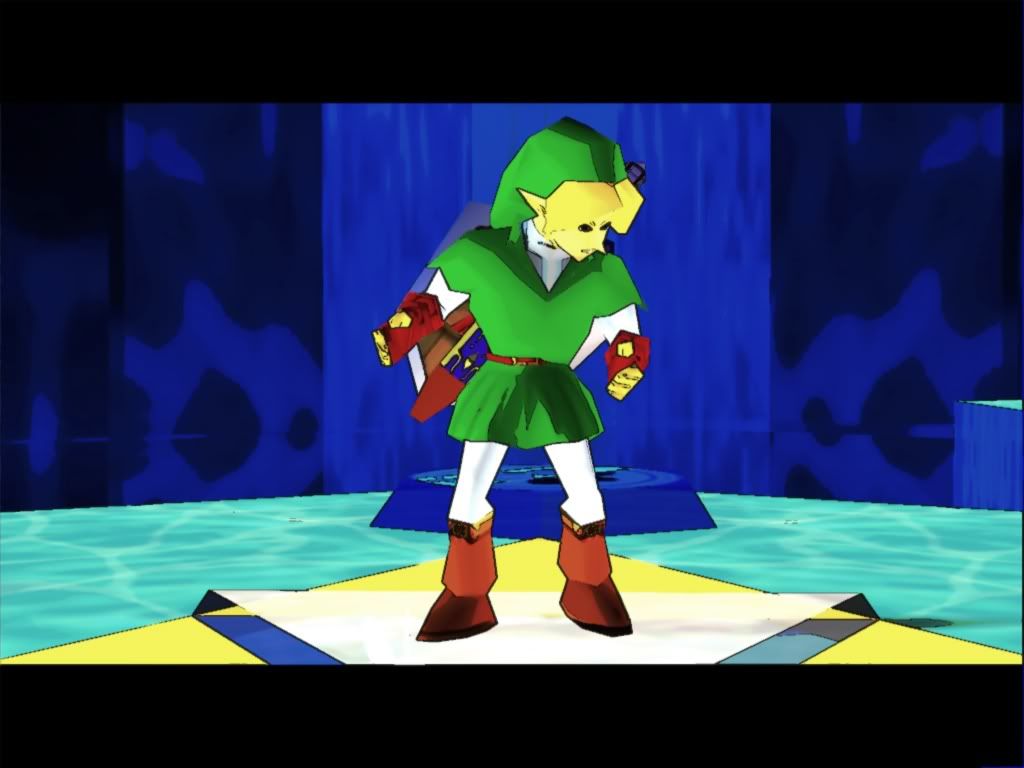
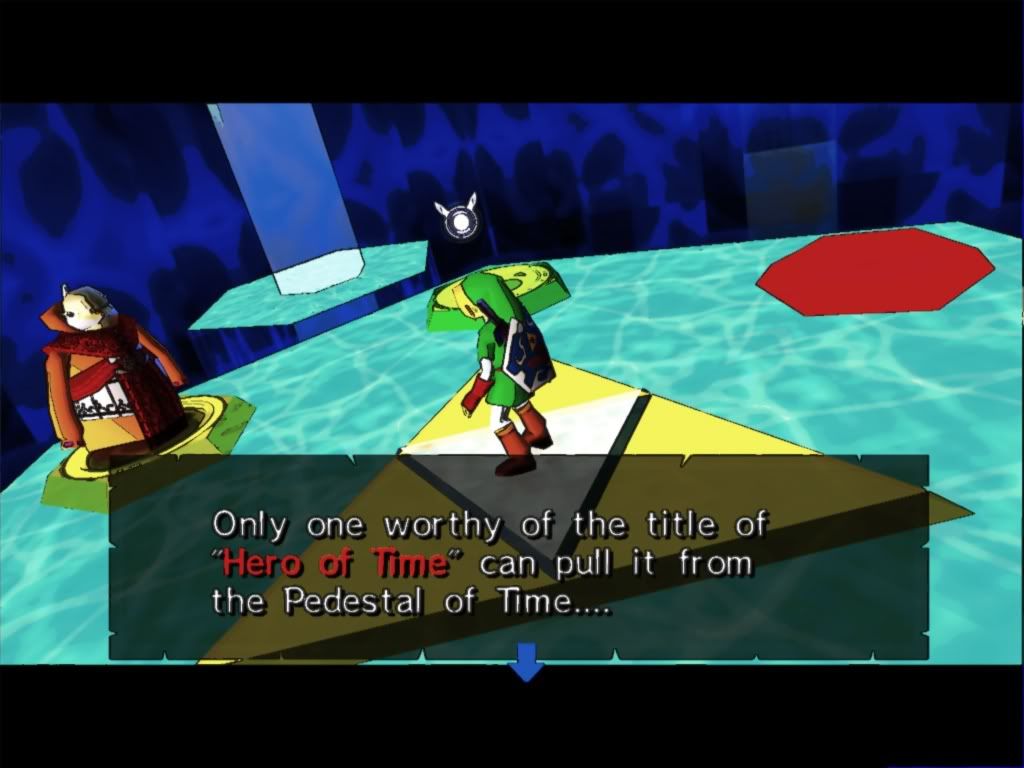
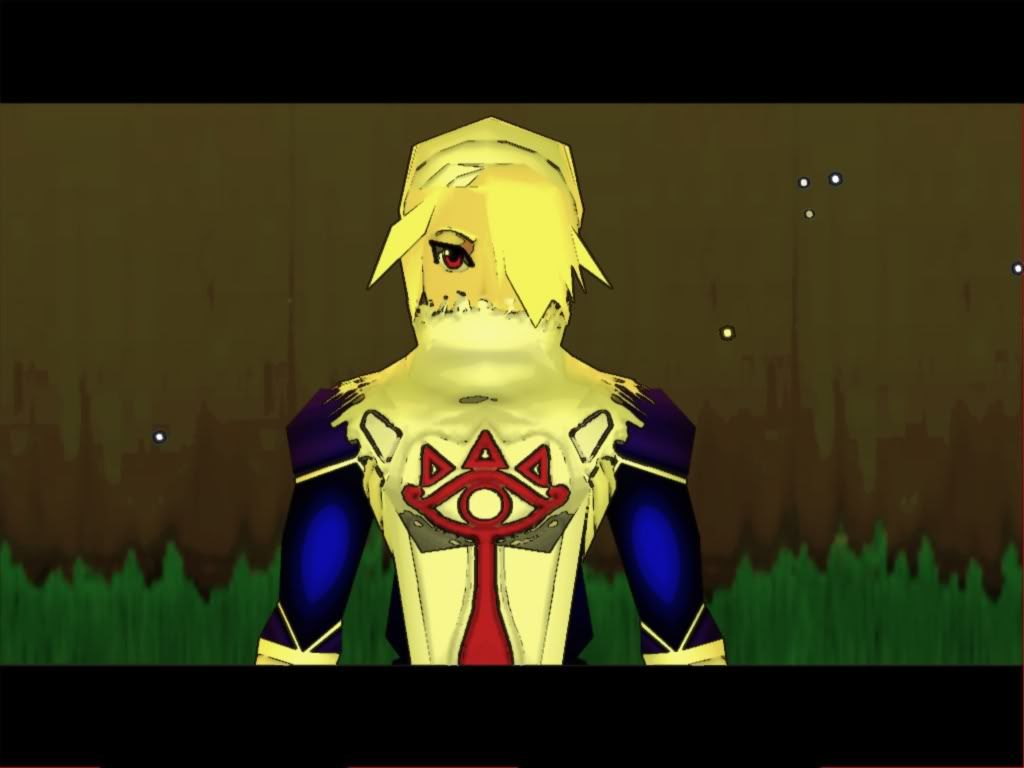
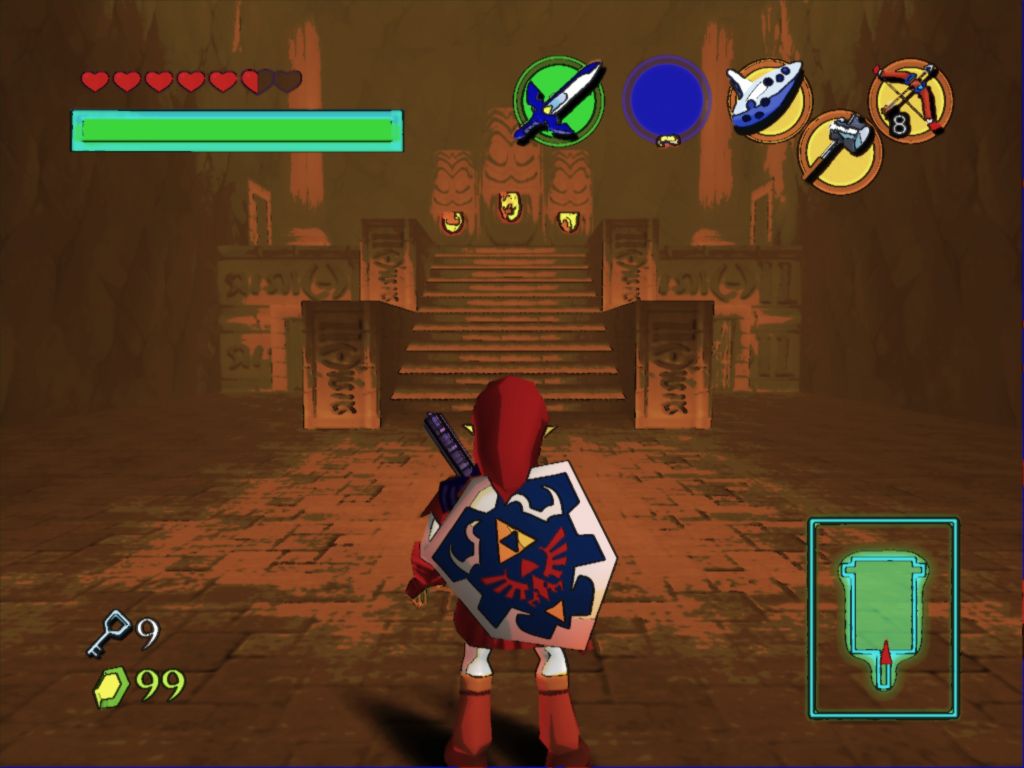
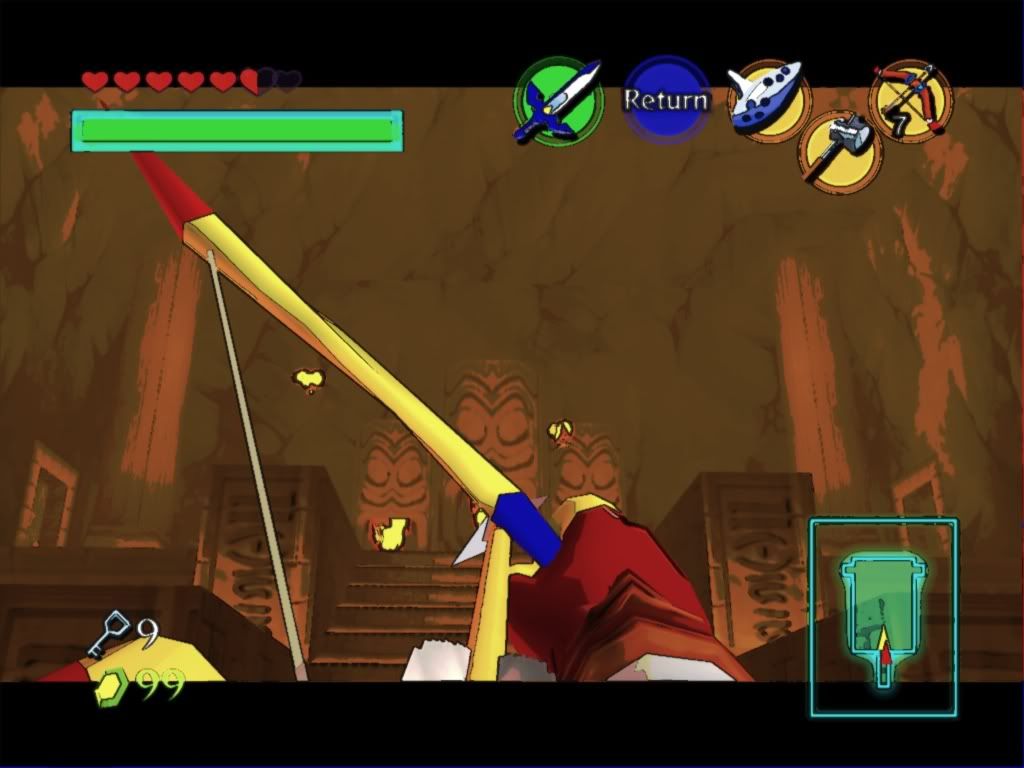
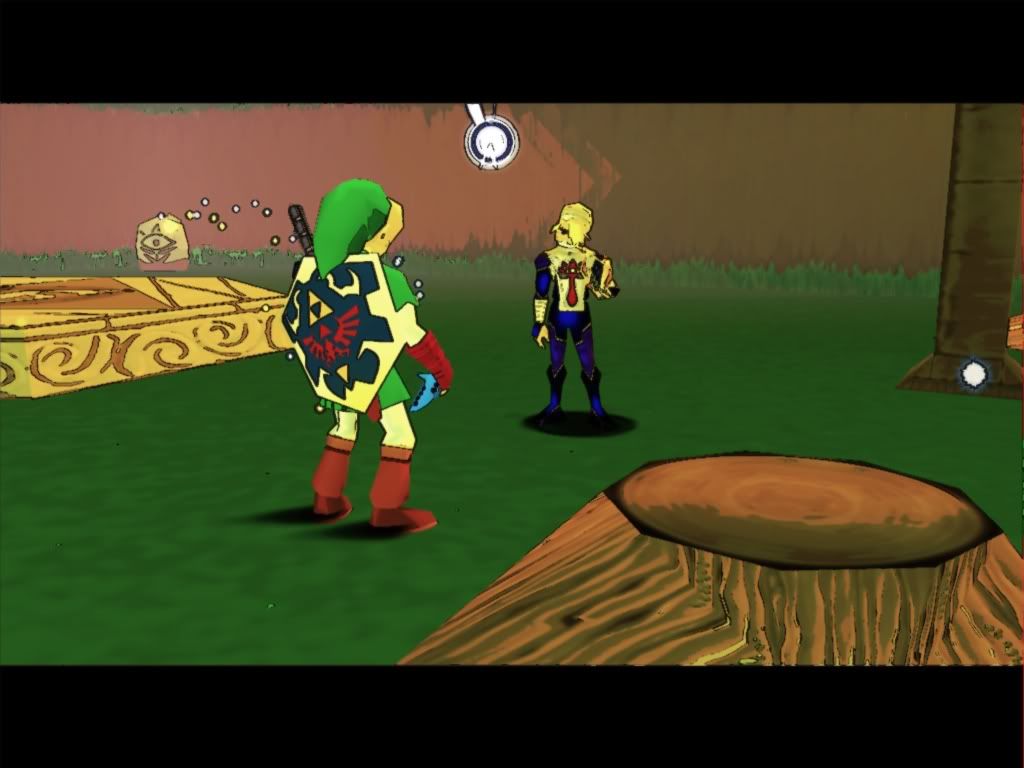
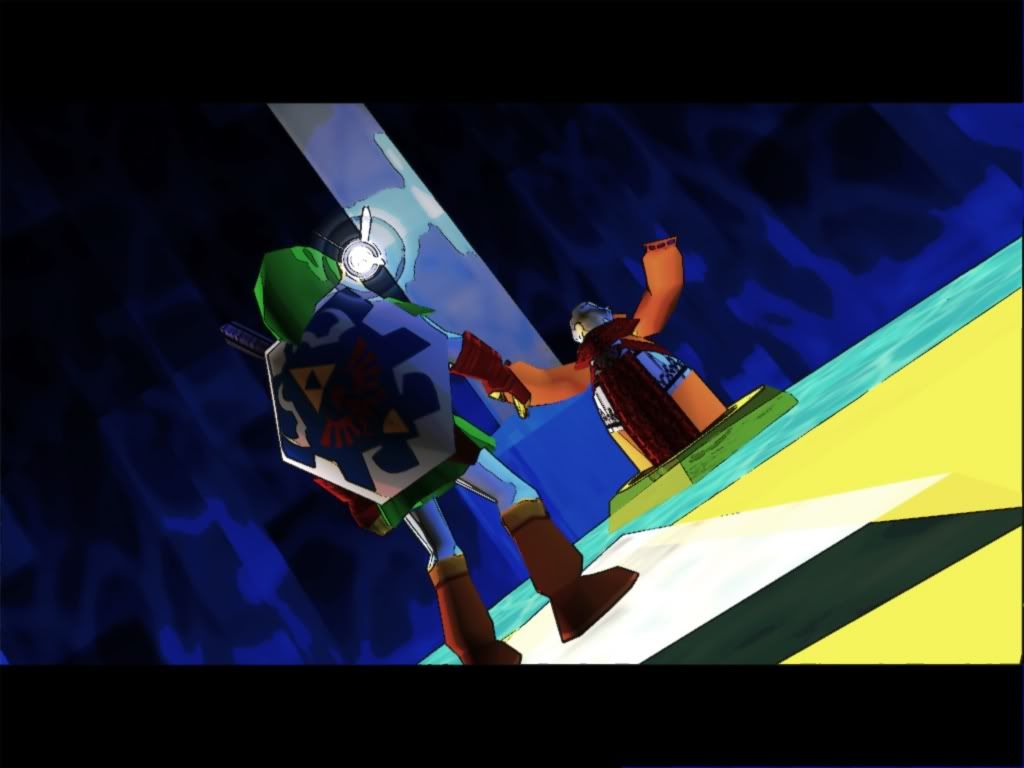
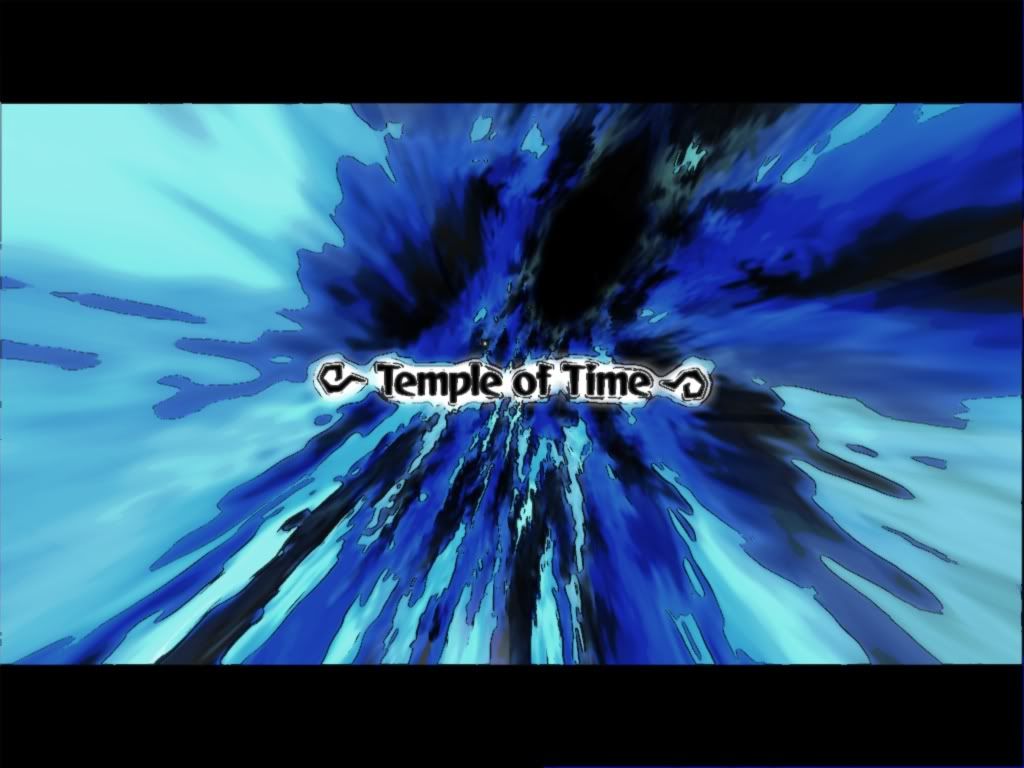
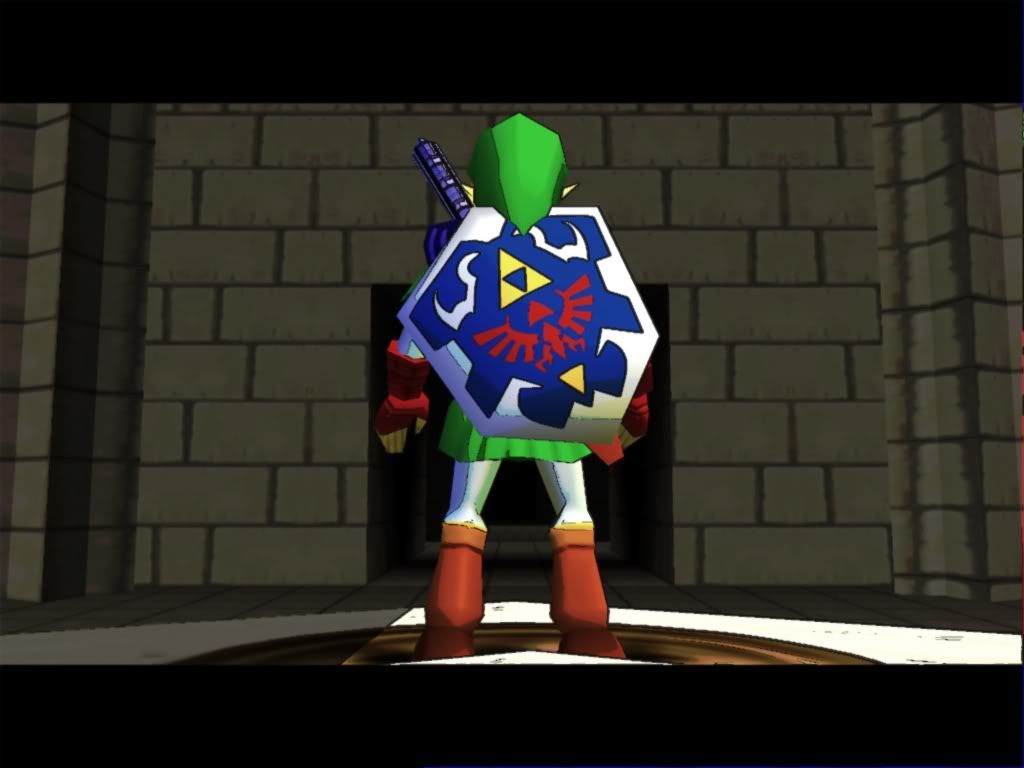
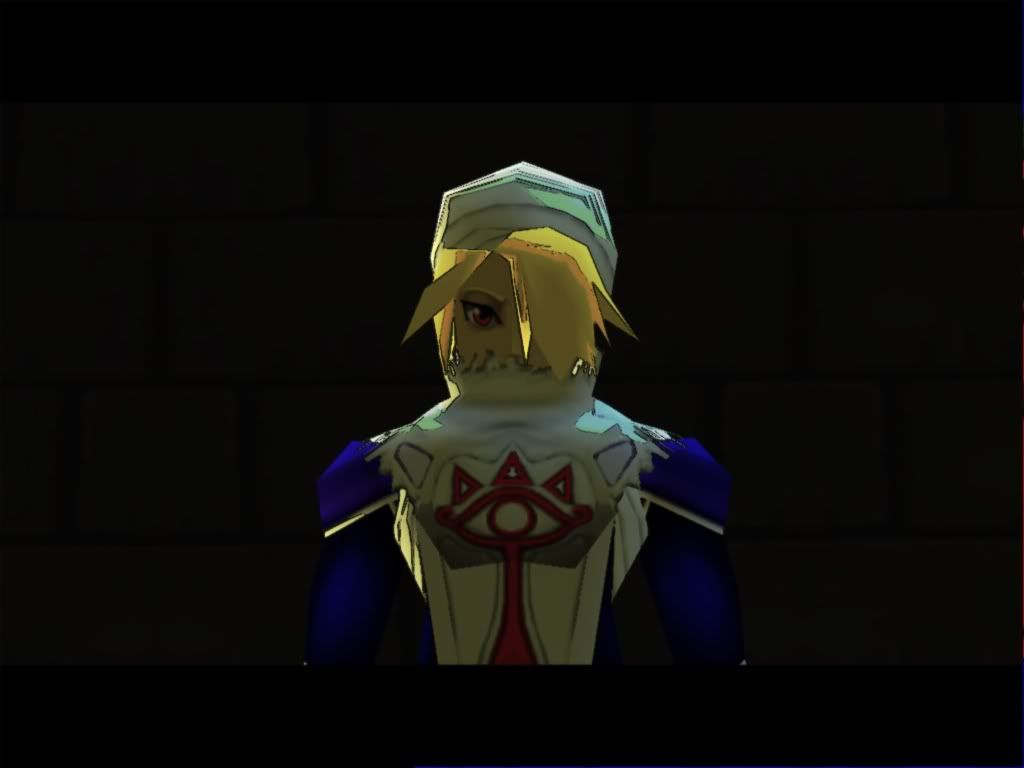
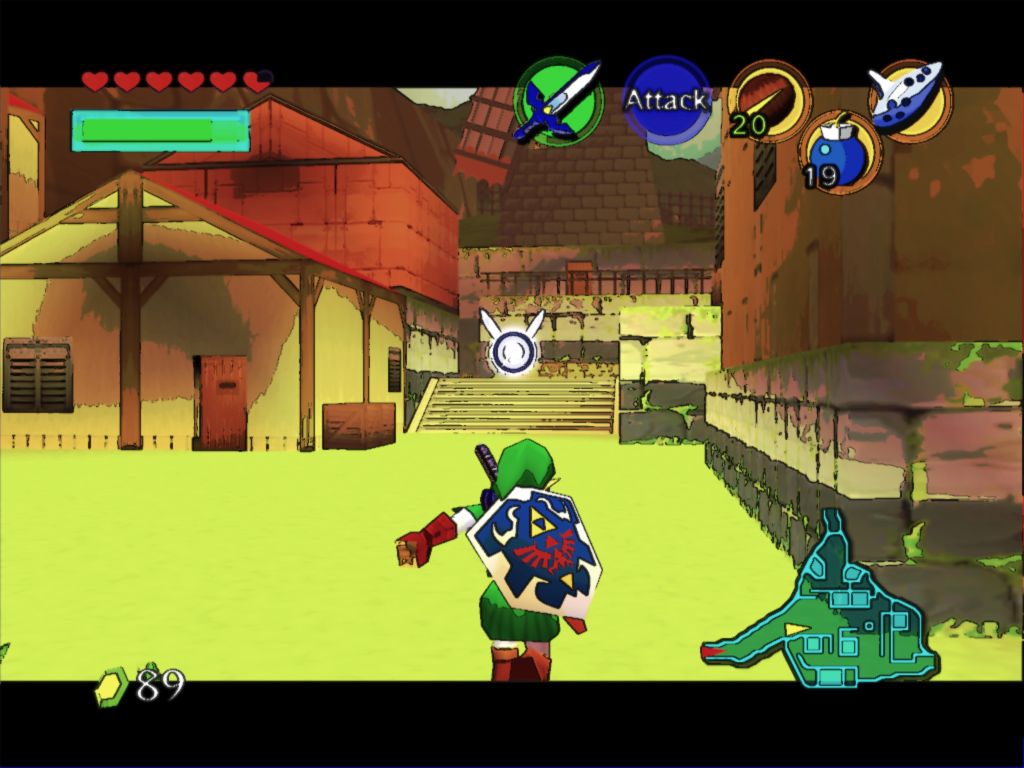
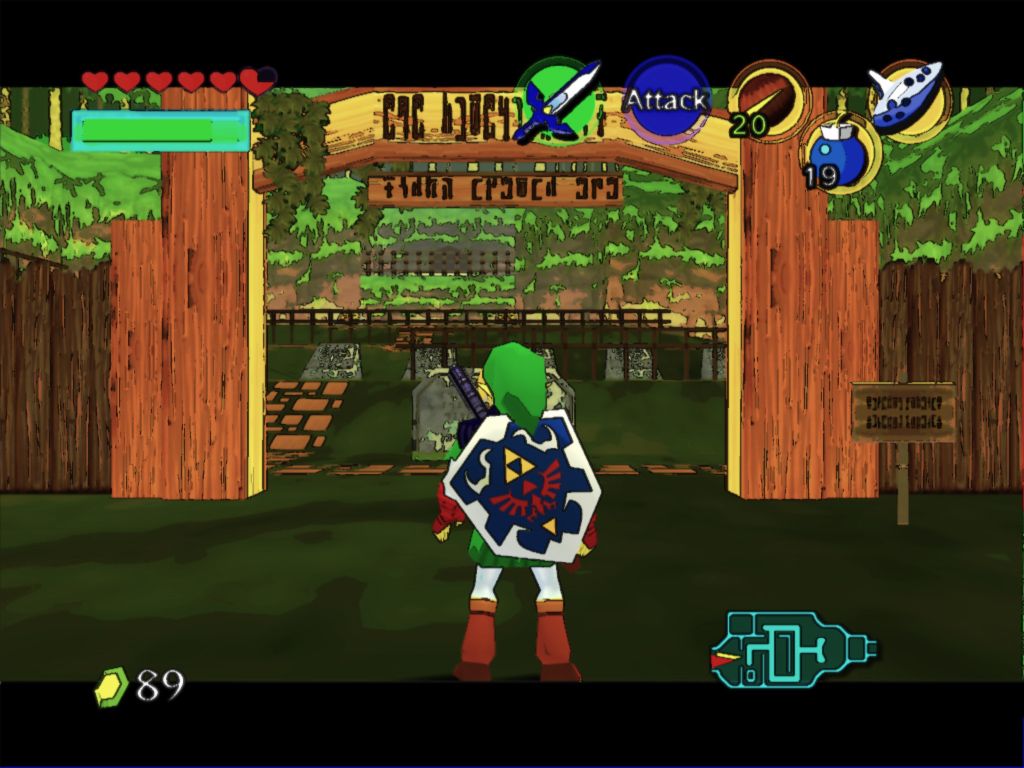


    This a combination of the same technique I introduced last topic with mudlords altered d3d9.dll a long with something a lot of you might have been playing with ENB's enbseries directx 9 shader mod with my altered edge detect effect.txt and color palette to work with enbseries along with mudlords altered d3d9.dll from timeslip.

    IMPORTANT:
    In the screen-shots I had use super sampling to anti alias the edge effect unless you don't mind jagged black line you should download Riva tuner and use 2x1 or 2x2 super sampling. 4x4 would have the best effect but more than likely would give you low frame rates I use 2x2 with a 640mb 8800 gts.
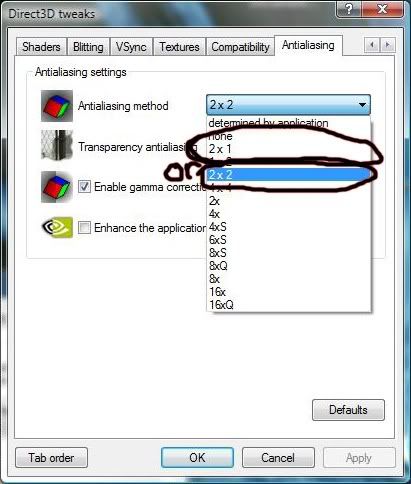
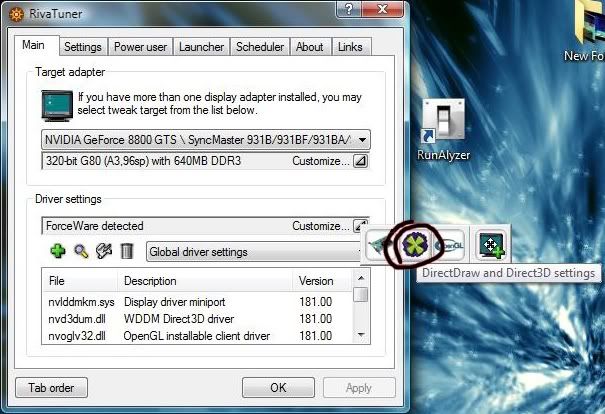
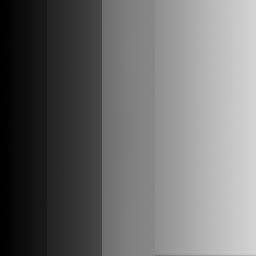

    This time instead of using a shader for the color gradients I took advantage of enb's enbpalette.bmp and created one to mimic the gradients by the bright and dark areas of the game instead of color alone.

    Requires Project64 1.7, Rice 6.1.3 video in directx9 (maybe later Ver.) and I would recommend a pixel shader 3 video card.

    Installation:
    Copy or move all files included to root directory where the emulator main .exe file is located

    Dowload:
    http://files.filefront.com/cdiddy7+H.../fileinfo.html
    Last edited by cdiddy7; February 1st, 2009 at 00:06.


    • Advertising

      advertising
      EmuTalk.net
      has no influence
      on the ads that
      are displayed


  2. #2
    Banned
    Join Date
    Dec 2008
    Posts
    32
    Nice to see you back!

    Was thinking also of getting back to work on this.
    Last edited by mudlord88; January 7th, 2009 at 09:01.

  3. #3
    EmuTalk Member
    Join Date
    Jul 2008
    Posts
    523
    Wow that looks great. Is there any progress on the bloom lighting filter? It looks very painterly.

  4. #4
    EmuTalk Member
    Join Date
    May 2004
    Posts
    281
    Amazing, simply amazing!

    Gee, I wonder if it's compatible with the latest Rice video just released the other day. I better go check.

  5. #5
    EmuTalk Member
    Join Date
    Apr 2008
    Posts
    59
    First of all 1 word, WOW!

    Secondly.....I can't seem to get that effect lol.....I downloaded the files and did what was asked, and I am using PJ64 1.7 aswell as Rice 6.1.3 aswell as a previous d4rk.dll file from before.....and it seems to be working as I can see the enb logs in the top left hand corner of the screen, but the only effect I seem to get when I press shift+F12 is a very strong bloom effect......most certainly not the lovely cell shading/oil paint effect seen here which is highly confusing me lol.

    At this point I am wondering if the wrong shaderfx file was included by accident considering there is also a readme file with nothing written in it also.....

  6. #6
    EmuTalk Member
    Join Date
    Aug 2006
    Posts
    29
    Oh yeah this wont work with the d4rk.dll and patched .exe you'll need to delete the d4rk.dll and replace the .exe with the original.

  7. #7
    EmuTalk Member
    Join Date
    Apr 2008
    Posts
    59
    Okay cheers pal, hang on I'll try that now.......

    EDIT

    Downloaded a fresh PJ64 1.7 and a fresh Rice 6.1.4 which also contains 6.1.3 dx9 and still the same thing....copied the files in and still nothing unless I press shift+f12 which only gives me a strong bloom effect....enb appears to be loaded as I can see it's logs in the corner of the window......something is amiss here I think and I have a strong feeling it's something of nothing.

    Are you sure that the correct shaderfx file was included pal ? Because I tried what you suggested and it didn't work, I even tried a fresh PJ64 download in a minimalist standalone folder and the same thing happened there with the same required plugin and files.

    It's also worth noting that I have a Geforce 8800GTX and so it's not a card or driver issue.....I also have different instances of PJ64 1.7 on my system however I am certain that each folder is self contained anyhow so I don't think that's the problem either....I think it's the wrong shaderfx file accidentally included in the download to be honest because I can't imagine what else it could possibly be.

    One last thing to note is that as it stands I am not using any texture packs.....I don't know if you were in the example screenshots, I just know I am getting anything but that effect for some reason lol.
    Last edited by Thommo; January 7th, 2009 at 20:35.

  8. #8
    EmuTalk Member
    Join Date
    Aug 2006
    Posts
    29
    You'll need the .fx file for color correction, you might try updating direcx 9 if you haven't already.
    http://www.microsoft.com/downloads/d...displaylang=en

    your gonna need all files included.
    I use Rice 6.1.3 i don't have 6.1.4 If that helps.

    I'll look at shaders though see if i can find any problems

  9. #9
    EmuTalk Member
    Join Date
    Apr 2008
    Posts
    59
    I have followed the instructions as stated, and even done so in a fresh PJ64 folder...and still not the effect intended, I have tried the update but it is saying no update necessary so my directx is obviously up to date.

    I can confirm however that my PJ64 is being a bitch tonight, nothing regarding shaders is working....even the fakehdr.fx files I had working before are not working now for some reason and I can't understand why. Computers are a pain in the arse lol.

  10. #10
    EmuTalk Member
    Join Date
    Apr 2008
    Posts
    59
    cdiddy how exactly are you getting that effect ? are you using this file in conjunction with a texture pack ? Because I've tried for a day or so now to get the effect shown in the screenshot and so far I've had anything but....

    I have linked my problem with the bloom back to the d3d9.dll file that comes with the download, as if I use one from earlier shader files.....like the one for vivd cell shade for example it works as it should....but no matter what I still cannot get that effect that you have shown in the screenshots and I just wondered how you got it.

Page 1 of 5 123 ... LastLast

Posting Permissions

  • You may not post new threads
  • You may not post replies
  • You may not post attachments
  • You may not edit your posts
  •