
Page 1 of 4 123 ... LastLast
Results 1 to 10 of 37
  1. #1
    EmuTalk Member
    Join Date
    Dec 2008
    Posts
    140

    pokemon stadium 2

    hiyas


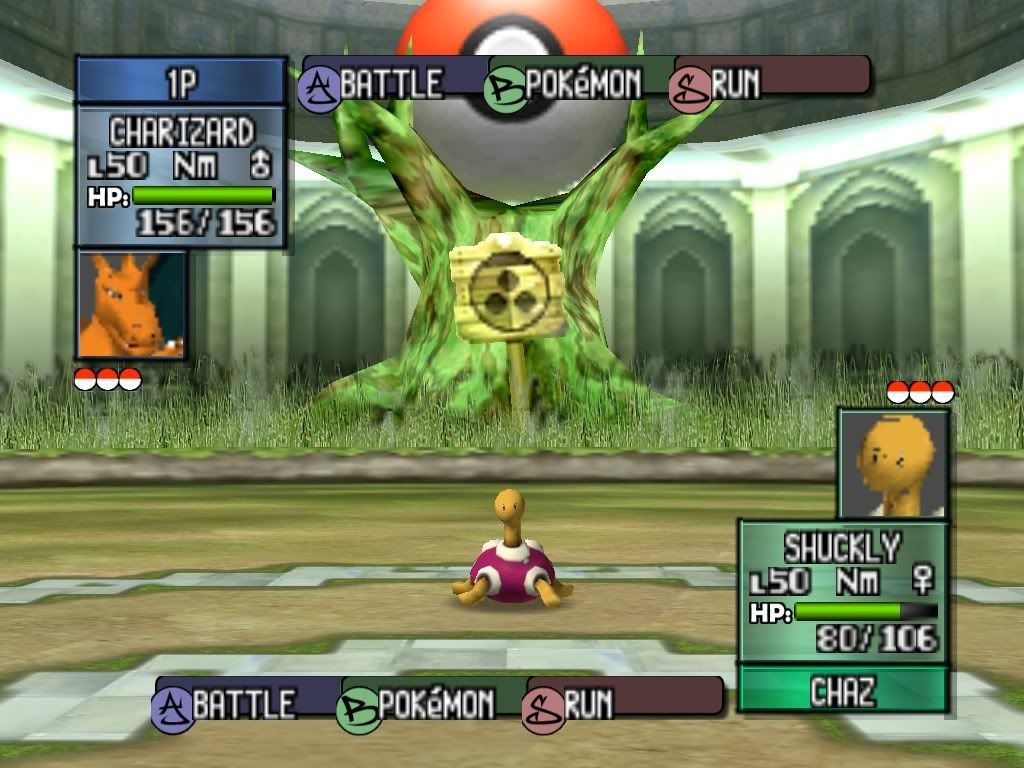
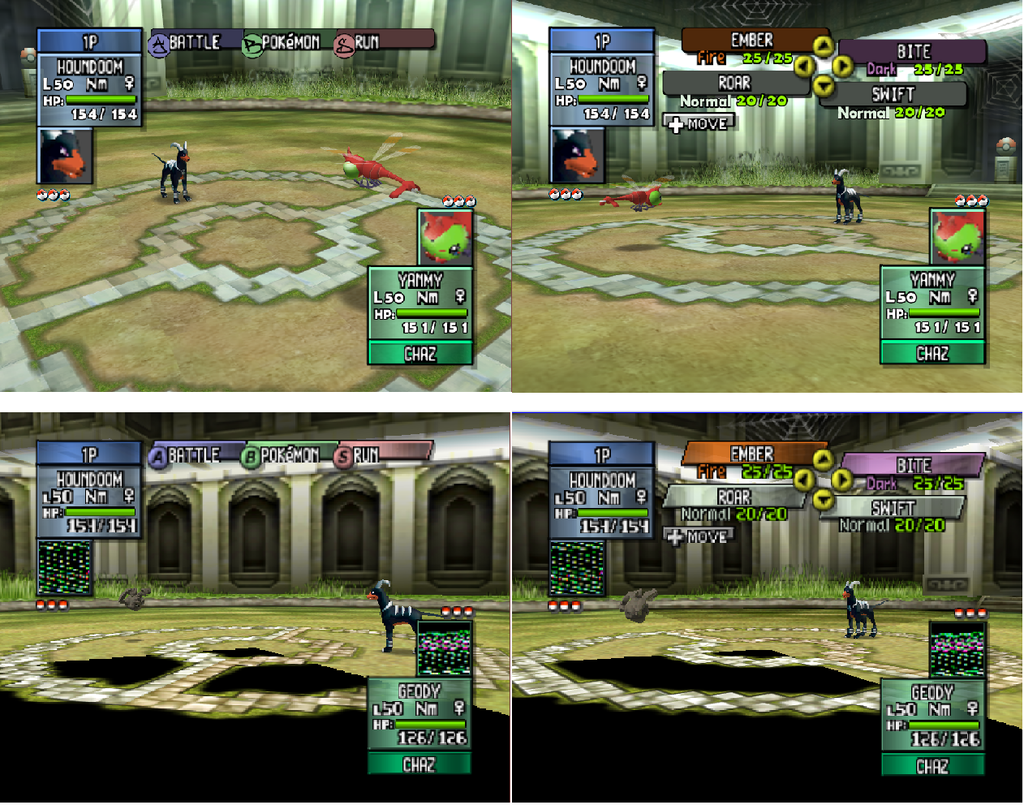
    im new emutalk but i recently started to retexture pokemon stadium 2.
    i was wondering if anyone would like to help out as this is my first re-texture project but i am ok at using photoshop so im not absolutly crap lol.

    i have only done a few textures so far, so i cannot call it a texture pack yet.
    i hope to get as close to finnishing retexturing the game as possible

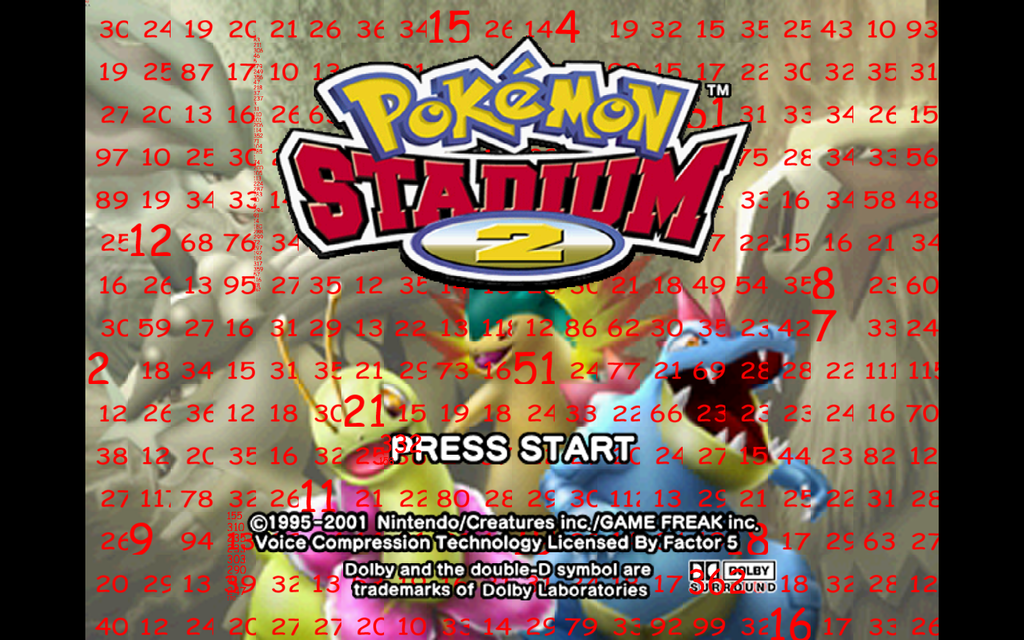
    ps. i have tried using hires easer to redo the picture behind to logo but there are so many different textures that i noticed there are 20+ textures in a row 0.o

    pps. i have both rice video and jabo's plugin 1.7 so no matter which one you have you can stilll help
    • Advertising

      advertising
      EmuTalk.net
      has no influence
      on the ads that
      are displayed


  2. #2
    EmuTalk Member
    Join Date
    Dec 2008
    Posts
    14
    screenshots at all possible?

  3. #3
    EmuTalk Member
    Join Date
    Dec 2002
    Posts
    277
    Quote Originally Posted by steftheserb View Post

    ps. i have tried using hires easer to redo the picture behind to logo but there are so many different textures that i noticed there are 20+ textures in a row 0.o
    So does this state any problems for you in using HiResEaser? Normally it should handle it w/o problems.

    The use of hre should be straight forward & is explained in the release thread.
    If there are still any open questions, just ask.
    Last edited by microdev; December 31st, 2008 at 09:49.

  4. #4
    EmuTalk Member
    Join Date
    Dec 2008
    Posts
    140

    Unhappy

    Quote Originally Posted by yab View Post
    screenshots at all possible?
    not really as i haven't done many textures but i am starting with the h.u.d

    @microdev: i wrote down the numbers but when i started up HiResEaser it showed me a massive picture made up of the textures used for the eyes of the pokemon and not the picture used as the background behind the logo

  5. #5
    EmuTalk Member
    Join Date
    Dec 2002
    Posts
    277

    Xbox

    Hmm, strange. How did you proceed? For assembling the logo select option 2.
    1. You select as type background/logo
    2. Than you have to state of how many tiles per row it consists (field tiles per row)
    3. In the field tile order you insert the ids of your tile line by line starting in the upper left corner. You should have noted the tile ids before after marking the tiles with option 1 and starting up your Pokemon game. The list have to be comma separated. Linebreaks are possible.
    4. A click on run should now assemble your logo and create an additional layer into which you can paint your hires image.
    5. Afterwards you can tile and export the hires image with option 3.


    If some parts of that are not working for your, send me
    1. The original textures(upload them to megaupload),
    2. the mapping file (TextureMarks.txt) that you will find in the textures folder after marking and
    3. the order of the tiles (which you inserted under 3).


    cheers,

    microdev

  6. #6
    EmuTalk Member
    Join Date
    Dec 2008
    Posts
    140
    ive tried using textures dumped using jabo's plugin and it worked. the problem is that the logo isn't made of textures so i cannot see the numbers behind the damn logo. als there is a strip going down the picture with tiny textures and i cant see the number at all. here is a screenshot if you can find what the numbers are then i will give you positive rep

  7. #7
    EmuTalk Member
    Join Date
    Dec 2002
    Posts
    277
    Quote Originally Posted by steftheserb View Post
    ive tried using textures dumped using jabo's plugin and it worked. the problem is that the logo isn't made of textures so i cannot see the numbers behind the damn logo. als there is a strip going down the picture with tiny textures and i cant see the number at all. here is a screenshot if you can find what the numbers are then i will give you positive rep
    The tiny numbers are the tiles of the logo. It consists of tiny stripes. Try to redo the marking of the textures but set the resize factor to 8x.

  8. #8
    EmuTalk Member
    Join Date
    Dec 2008
    Posts
    140
    thank you i will try again with your settings and i hope it fixes the problem

    edit:ive just tried and it made matters worse 0.o

    i dont know wether i should leave the title screen and move on to h.u.d

    any ideas?
    Last edited by steftheserb; January 2nd, 2009 at 23:19.

  9. #9
    EmuTalk Member
    Join Date
    Dec 2002
    Posts
    277
    Quote Originally Posted by steftheserb View Post
    ive just tried and it made matters worse 0.o

    i dont know wether i should leave the title screen and move on to h.u.d

    any ideas?

    Please zip your dumped textures of the title screen (the unmarked ones) and upload them to megaupload (find the link in my post above). I will have a look and see what I can do for you.

    I just read that you were talking about the picture behind the logo and not of the logo. To get hold of the id's behind the logo, you have to replace the tiles of the logo by transparent ones. That way the logo "disappears" & you can read the id's of the tiles behind it. But send me you dumped tiles nevertheless.
    Last edited by microdev; January 3rd, 2009 at 16:15.

  10. #10
    EmuTalk Member
    Join Date
    Dec 2008
    Posts
    140
    ok i will upload the dumped textures later

    i was worndering if anyone has any ideas of what i can do to the title screen and logo?

Page 1 of 4 123 ... LastLast

Posting Permissions

  • You may not post new threads
  • You may not post replies
  • You may not post attachments
  • You may not edit your posts
  •