PDA
$threadinfo[title]
-


cdiddy7
January 7th, 2009, 05:06
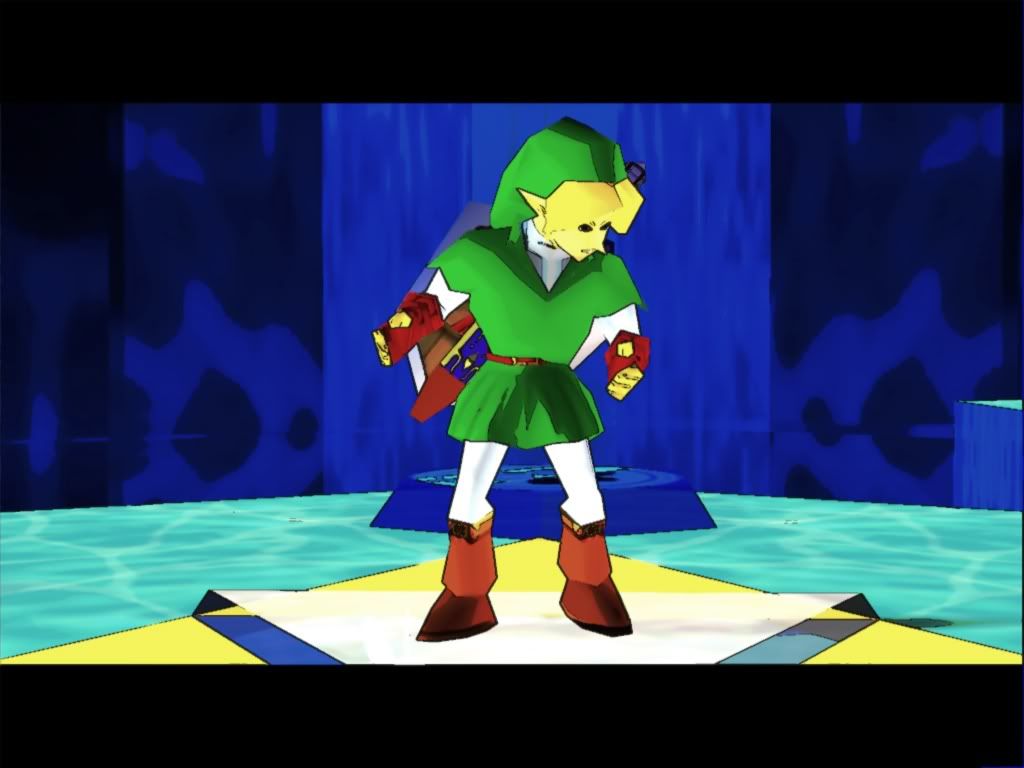
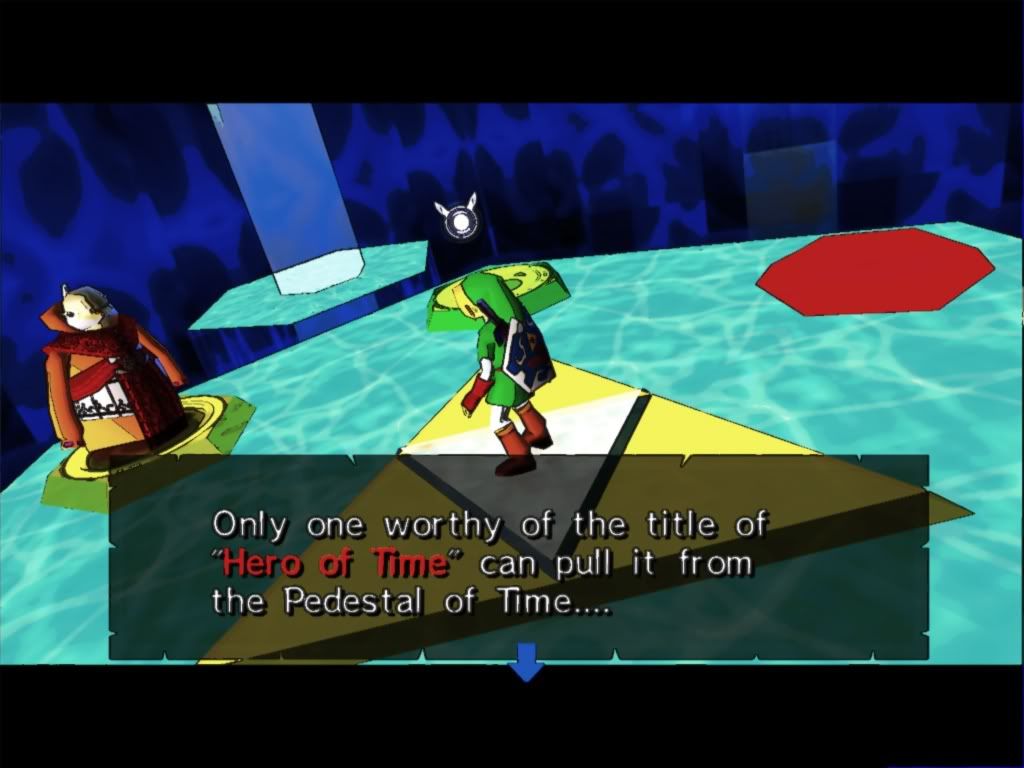
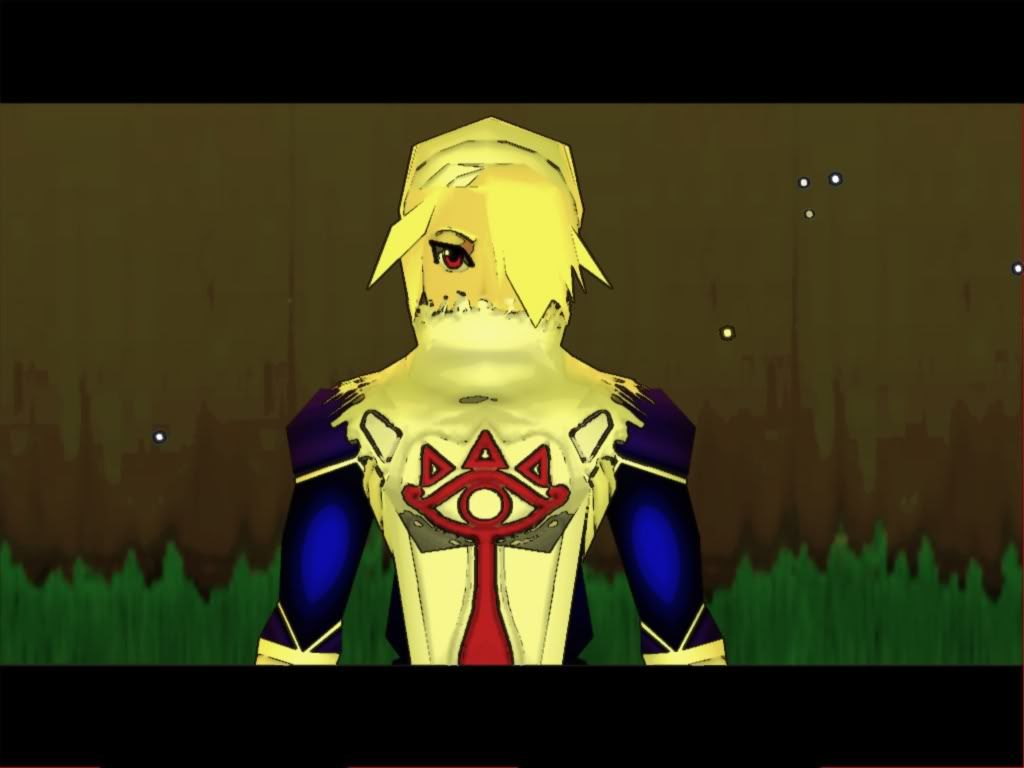
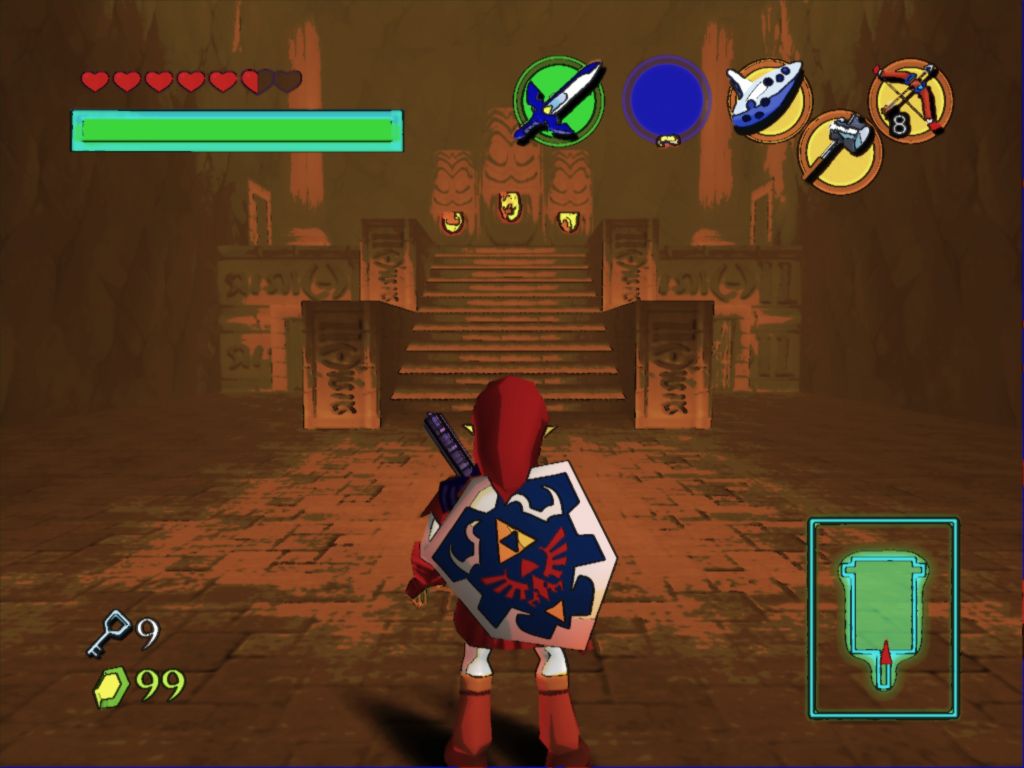
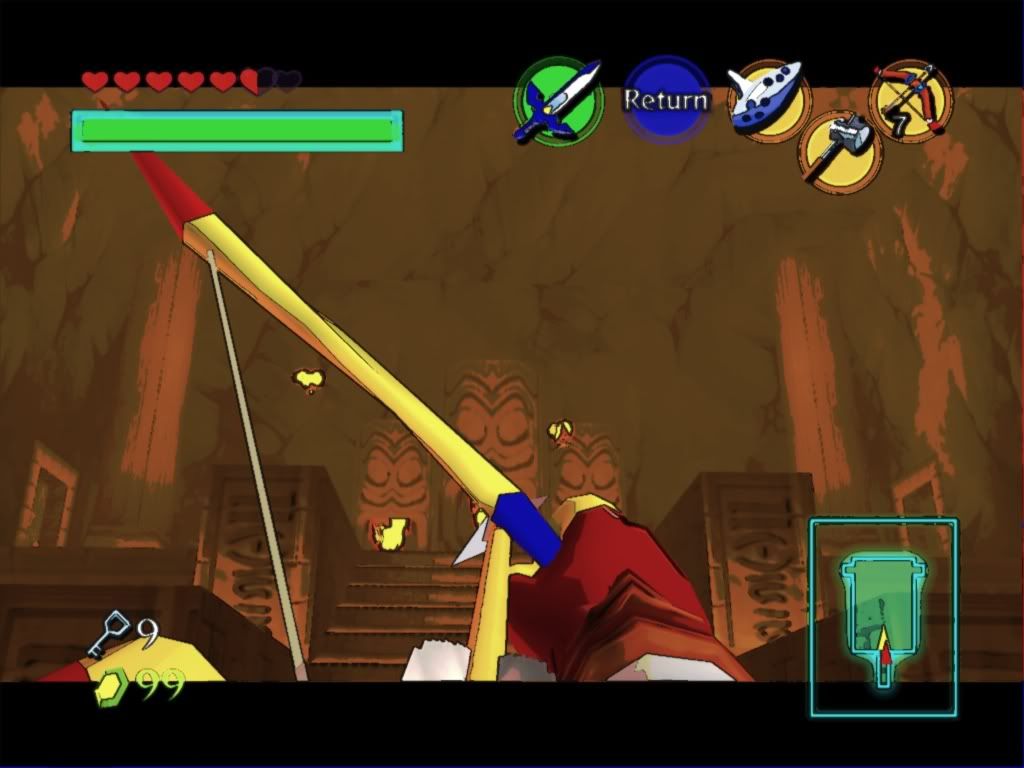
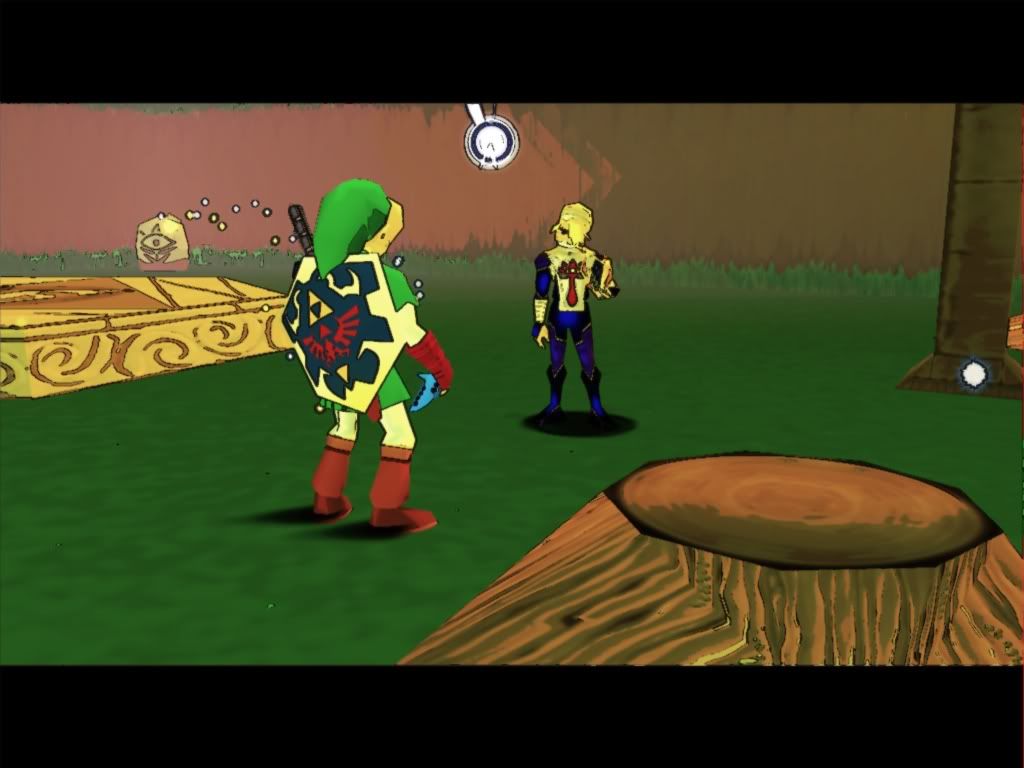
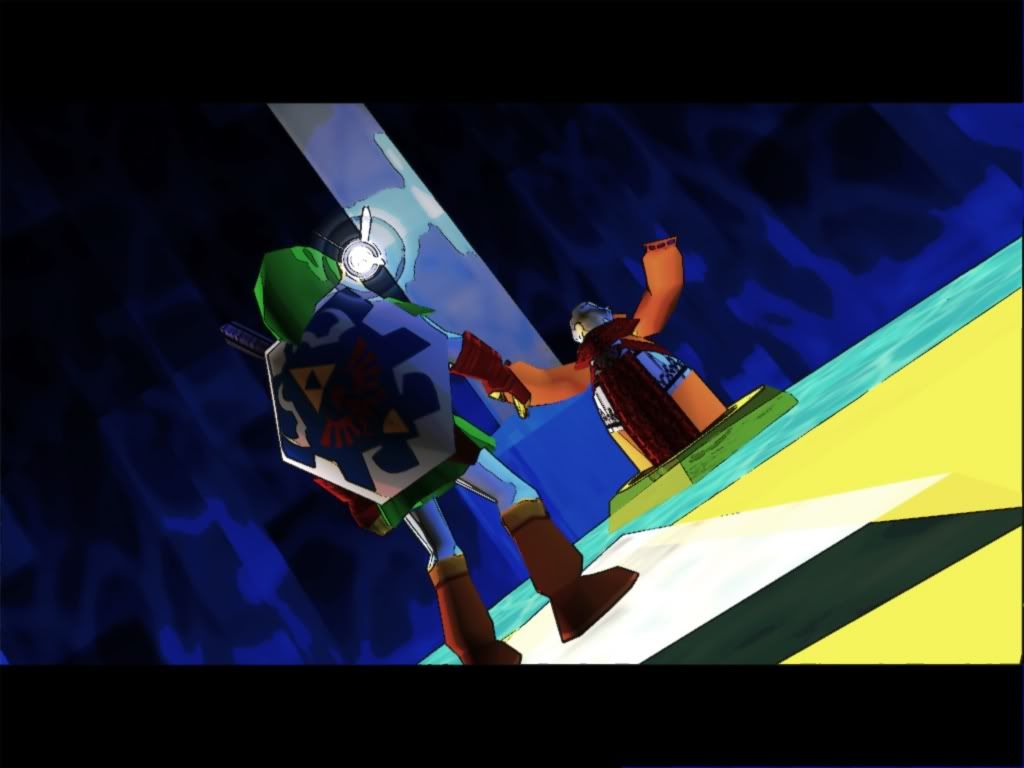
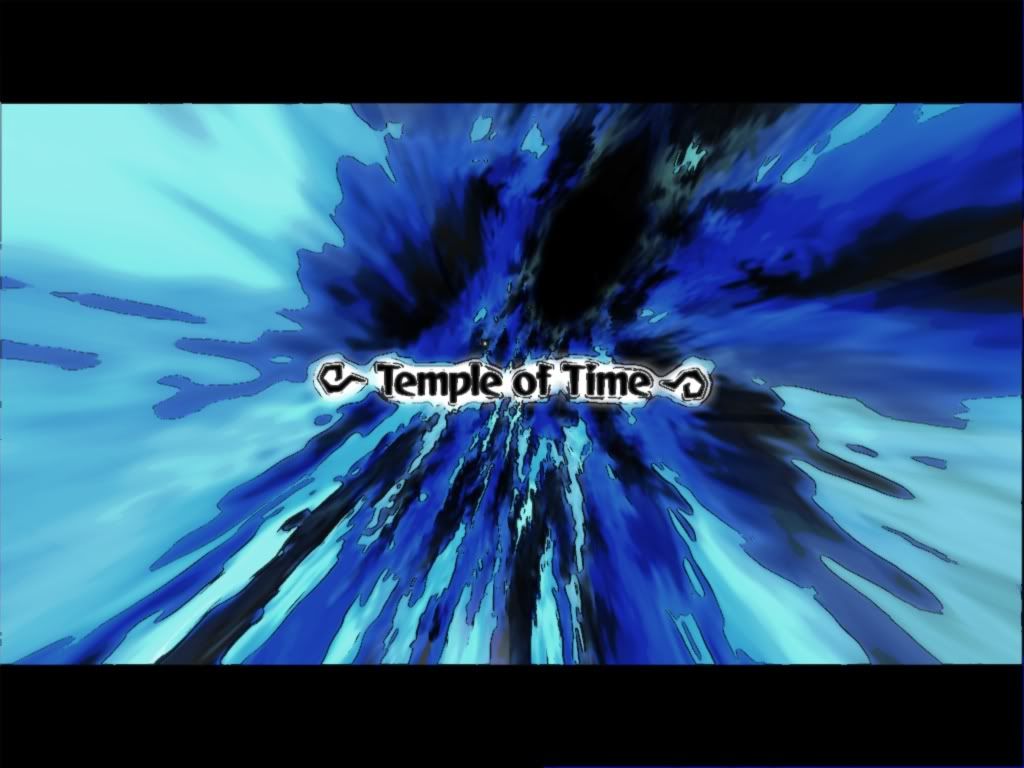
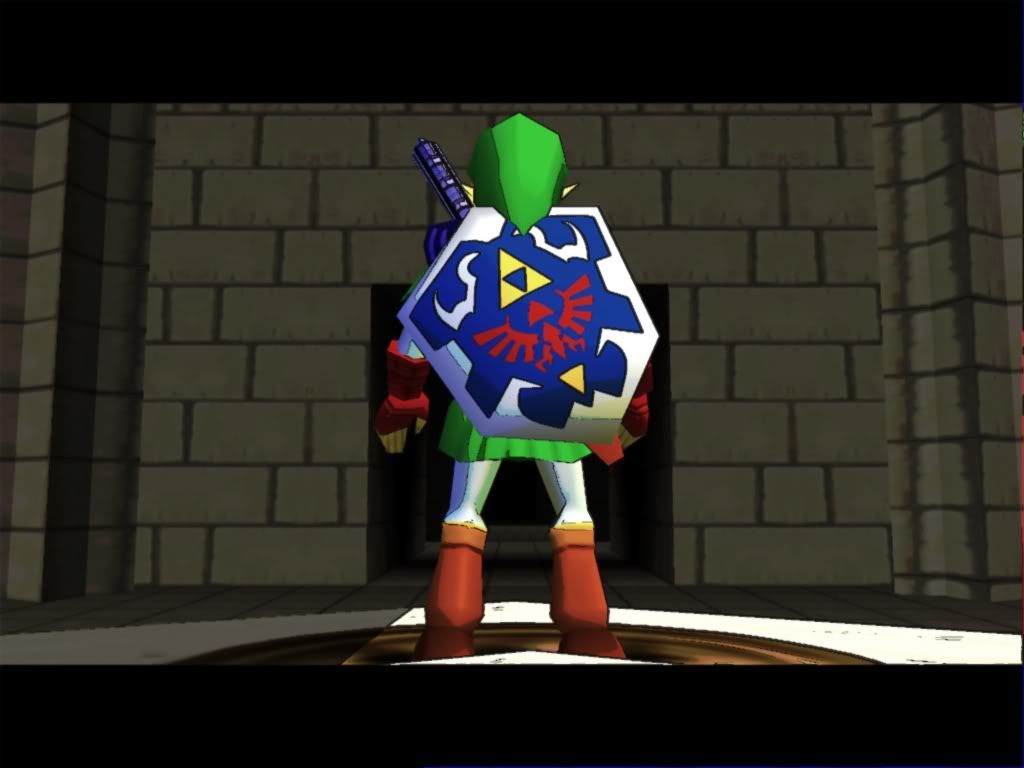
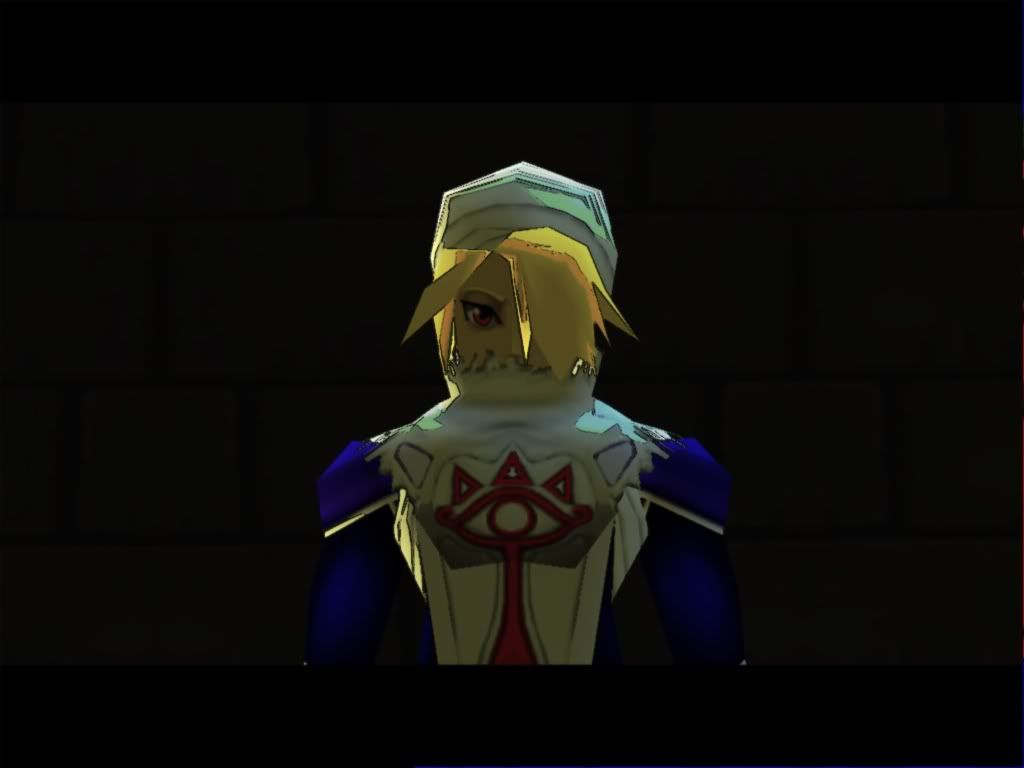
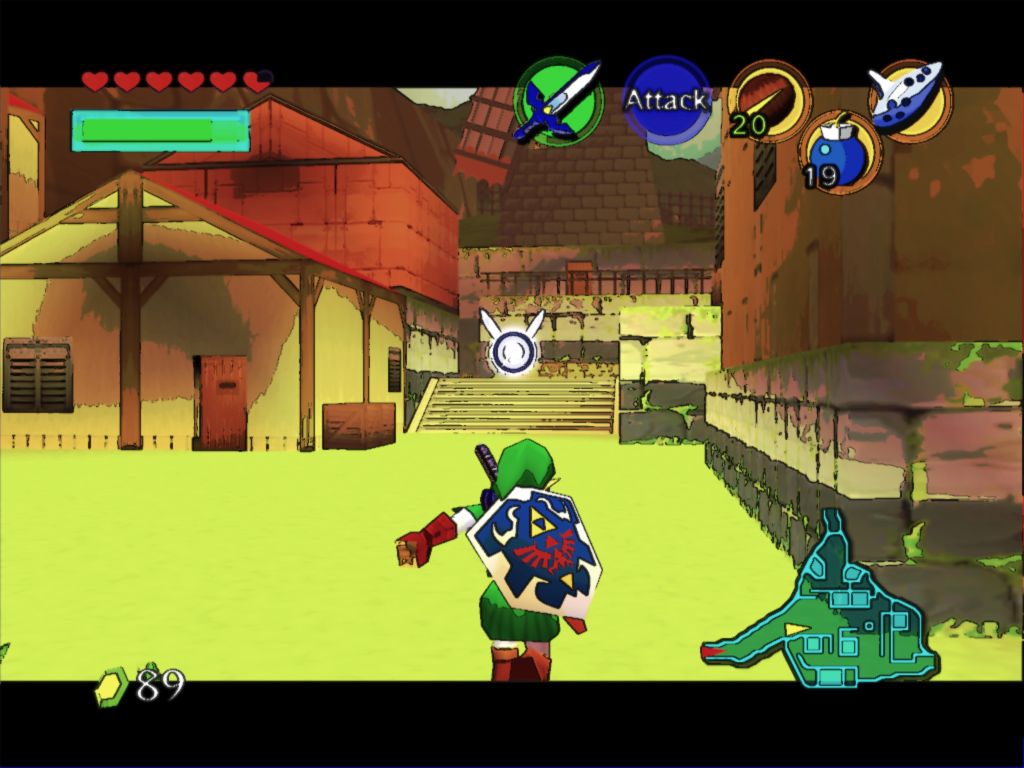
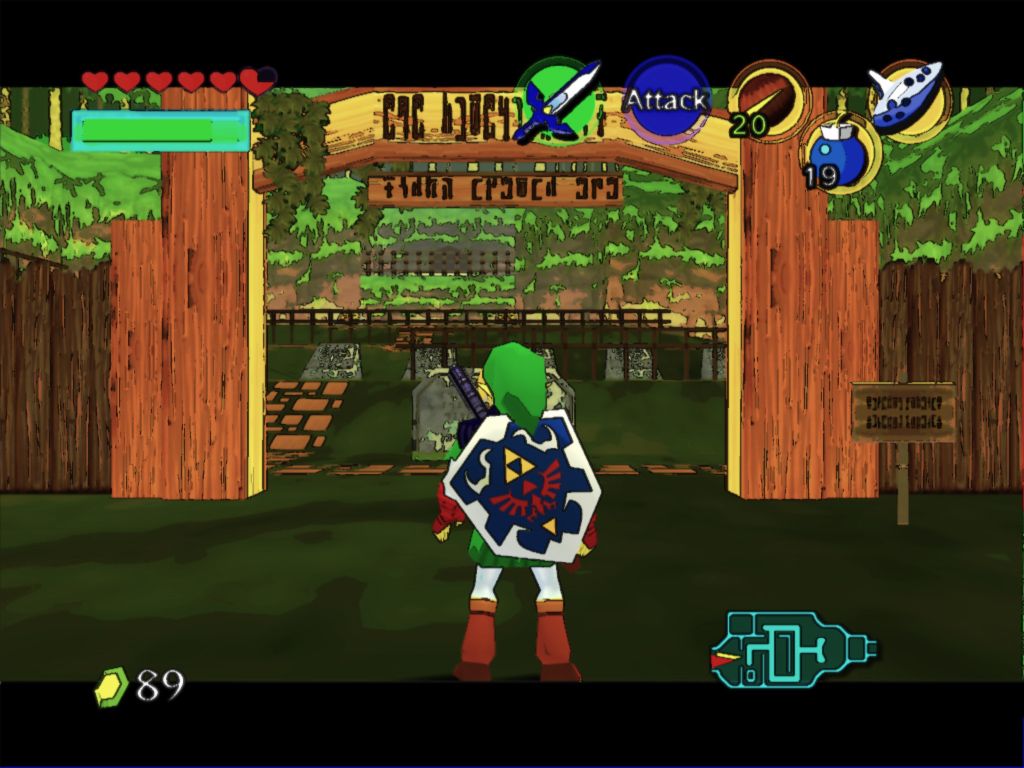
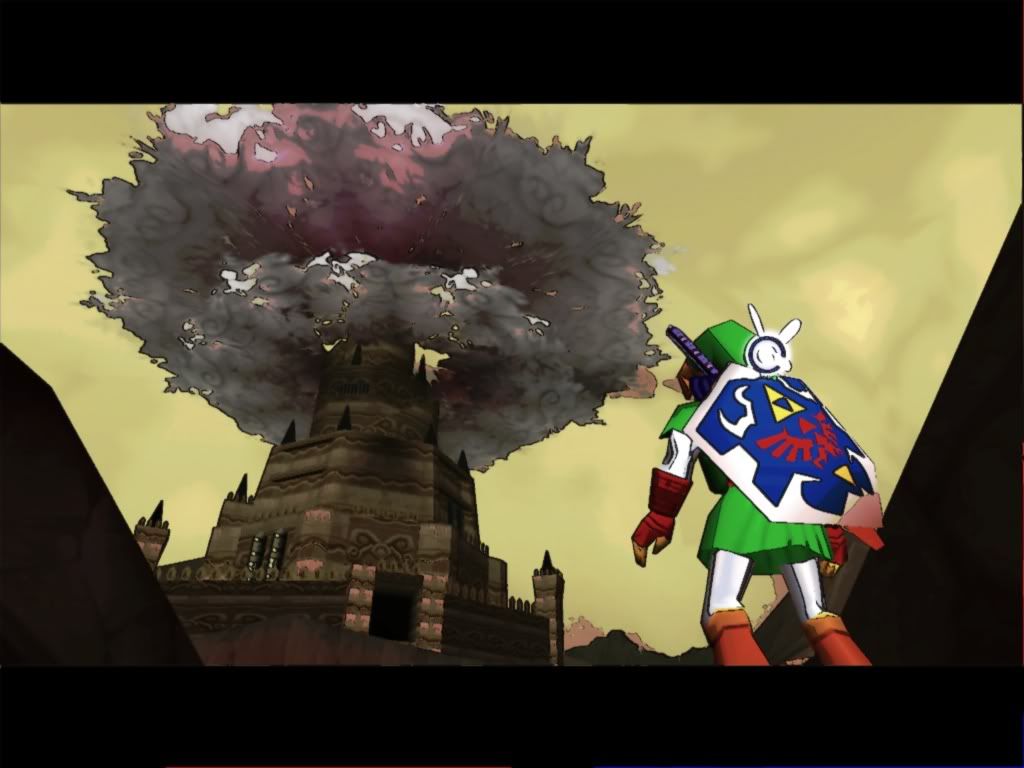
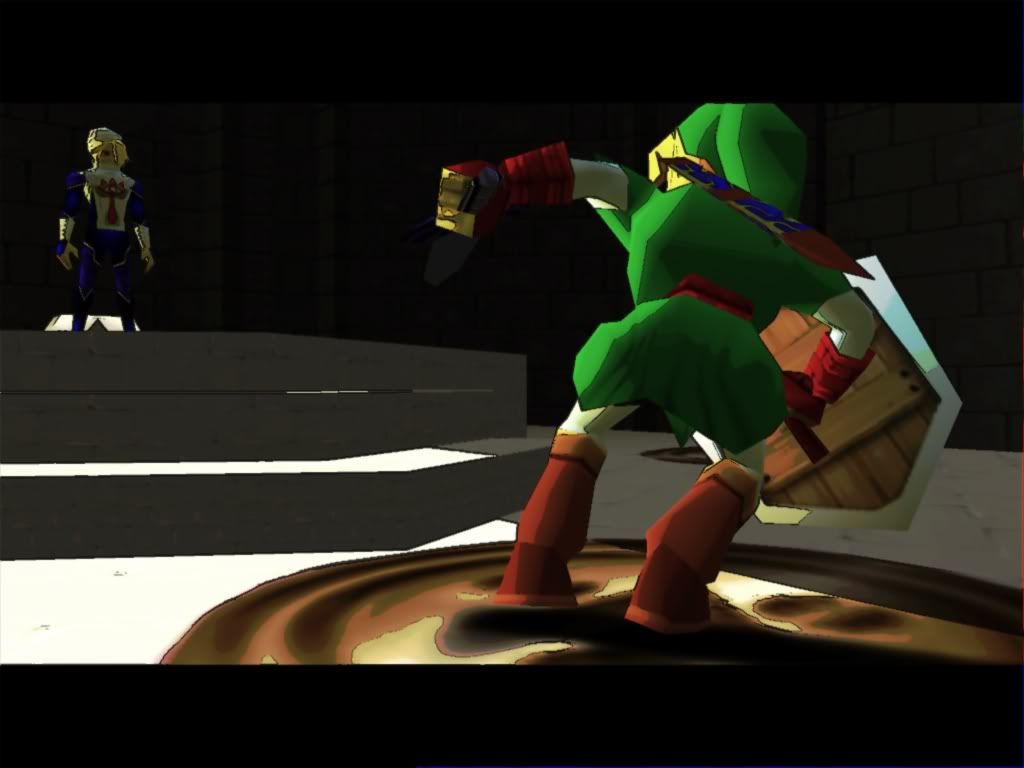
Happy new everybody, Last time I started a topic I had a very basic cel shader release. But thats not the case this time, now we're talking some real kick ass post processing shading with minimal texture corruption.
http://i184.photobucket.com/albums/x240/fugdunny/cdiddycel7copy.jpg

http://i184.photobucket.com/albums/x240/fugdunny/cdiddycel5copy.jpg

http://i184.photobucket.com/albums/x240/fugdunny/enb2009_1_7_1_13_38copy.jpg

http://i184.photobucket.com/albums/x240/fugdunny/cdiddycel1copy.jpg

http://i184.photobucket.com/albums/x240/fugdunny/cdiddycel10copy.jpg

http://i184.photobucket.com/albums/x240/fugdunny/cdiddycel11copy.jpg

http://i184.photobucket.com/albums/x240/fugdunny/cdiddycel13copy.jpg

http://i184.photobucket.com/albums/x240/fugdunny/cdiddycel12copy.jpg

http://i184.photobucket.com/albums/x240/fugdunny/cdiddycel2copy.jpg

http://i184.photobucket.com/albums/x240/fugdunny/cdiddycel3copy.jpg

http://i184.photobucket.com/albums/x240/fugdunny/cdiddycel4copy.jpg

http://i184.photobucket.com/albums/x240/fugdunny/cdiddycel6copy.jpg

http://i184.photobucket.com/albums/x240/fugdunny/cdiddycel8copy.jpg

http://i184.photobucket.com/albums/x240/fugdunny/cdiddycel9copy.jpg

This a combination of the same technique I introduced last topic with mudlords altered d3d9.dll a long with something a lot of you might have been playing with ENB's enbseries directx 9 shader mod with my altered edge detect effect.txt and color palette to work with enbseries along with mudlords altered d3d9.dll from timeslip.

IMPORTANT:
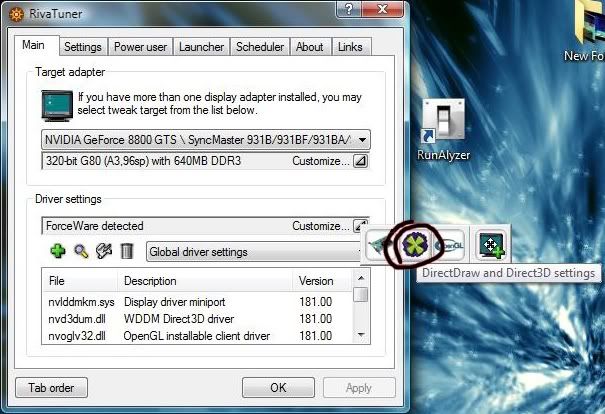
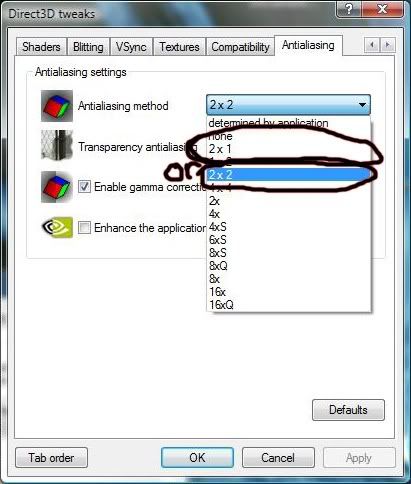
In the screen-shots I had use super sampling to anti alias the edge effect unless you don't mind jagged black line you should download Riva tuner and use 2x1 or 2x2 super sampling. 4x4 would have the best effect but more than likely would give you low frame rates I use 2x2 with a 640mb 8800 gts.
http://i184.photobucket.com/albums/x240/fugdunny/riva2.jpg
http://i184.photobucket.com/albums/x240/fugdunny/riva1.jpg

http://i184.photobucket.com/albums/x240/fugdunny/enbpalette.jpg
This time instead of using a shader for the color gradients I took advantage of enb's enbpalette.bmp and created one to mimic the gradients by the bright and dark areas of the game instead of color alone.

Requires Project64 1.7, Rice 6.1.3 video in directx9 (maybe later Ver.) and I would recommend a pixel shader 3 video card.

Installation:
Copy or move all files included to root directory where the emulator main .exe file is located

Dowload:
http://files.filefront.com/cdiddy7+Hybrid+celrar/;12894995;/fileinfo.html

mudlord88
January 7th, 2009, 09:59
Nice to see you back!

Was thinking also of getting back to work on this.

cerebus5
January 7th, 2009, 11:37
Wow that looks great. Is there any progress on the bloom lighting filter? It looks very painterly.

Terranigma
January 7th, 2009, 17:07
Amazing, simply amazing!

Gee, I wonder if it's compatible with the latest Rice video just released the other day. I better go check.

Thommo
January 7th, 2009, 20:43
First of all 1 word, WOW!

Secondly.....I can't seem to get that effect lol.....I downloaded the files and did what was asked, and I am using PJ64 1.7 aswell as Rice 6.1.3 aswell as a previous d4rk.dll file from before.....and it seems to be working as I can see the enb logs in the top left hand corner of the screen, but the only effect I seem to get when I press shift+F12 is a very strong bloom effect......most certainly not the lovely cell shading/oil paint effect seen here which is highly confusing me lol.

At this point I am wondering if the wrong shaderfx file was included by accident considering there is also a readme file with nothing written in it also.....

cdiddy7
January 7th, 2009, 21:07
Oh yeah this wont work with the d4rk.dll and patched .exe you'll need to delete the d4rk.dll and replace the .exe with the original.

Thommo
January 7th, 2009, 21:09
Okay cheers pal, hang on I'll try that now.......

EDIT

Downloaded a fresh PJ64 1.7 and a fresh Rice 6.1.4 which also contains 6.1.3 dx9 and still the same thing....copied the files in and still nothing unless I press shift+f12 which only gives me a strong bloom effect....enb appears to be loaded as I can see it's logs in the corner of the window......something is amiss here I think and I have a strong feeling it's something of nothing.

Are you sure that the correct shaderfx file was included pal ? Because I tried what you suggested and it didn't work, I even tried a fresh PJ64 download in a minimalist standalone folder and the same thing happened there with the same required plugin and files.

It's also worth noting that I have a Geforce 8800GTX and so it's not a card or driver issue.....I also have different instances of PJ64 1.7 on my system however I am certain that each folder is self contained anyhow so I don't think that's the problem either....I think it's the wrong shaderfx file accidentally included in the download to be honest because I can't imagine what else it could possibly be.

One last thing to note is that as it stands I am not using any texture packs.....I don't know if you were in the example screenshots, I just know I am getting anything but that effect for some reason lol.

cdiddy7
January 7th, 2009, 22:06
You'll need the .fx file for color correction, you might try updating direcx 9 if you haven't already.
http://www.microsoft.com/downloads/details.aspx?familyid=2da43d38-db71-4c1b-bc6a-9b6652cd92a3&displaylang=en

your gonna need all files included.
I use Rice 6.1.3 i don't have 6.1.4 If that helps.

I'll look at shaders though see if i can find any problems

Thommo
January 7th, 2009, 22:35
I have followed the instructions as stated, and even done so in a fresh PJ64 folder...and still not the effect intended, I have tried the update but it is saying no update necessary so my directx is obviously up to date.

I can confirm however that my PJ64 is being a bitch tonight, nothing regarding shaders is working....even the fakehdr.fx files I had working before are not working now for some reason and I can't understand why. Computers are a pain in the arse lol.

Thommo
January 8th, 2009, 22:21
cdiddy how exactly are you getting that effect ? are you using this file in conjunction with a texture pack ? Because I've tried for a day or so now to get the effect shown in the screenshot and so far I've had anything but....

I have linked my problem with the bloom back to the d3d9.dll file that comes with the download, as if I use one from earlier shader files.....like the one for vivd cell shade for example it works as it should....but no matter what I still cannot get that effect that you have shown in the screenshots and I just wondered how you got it.

cdiddy7
January 9th, 2009, 01:32
Thommo I've tested the files I've uploaded, and they all work fine on my rig.
Using a texture pack will not have no effect on how the shader operates at all except cosmetically.
All functions of the shader will be traced back to the d3d9.dll so you can't really diagnose the problem that way, And the fakehdr.fx only function is to desaturated color this time round.

If I could make this less of a pain in the ass i would.

Downloading the d3dx9_26.dll and placing it in your emulators root folder might help , it fixes problems for some people using ENB
http://boris-vorontsov.narod.ru/d3dx9_26.zip

If anyone else experiencing these problems or any other please post them here it would help fix any bugs with the shader.

Be sure you have all files in your emulators folder, they are all needed;

d3d9.dll
d3d9COL.dll
effect.txt
enbpalette.bmp
enbseries.ini
fakehdr.fx
(Use the included enbseries.ini not your own edit)

EDIT:
Also here's a link to a cleaned up fakehdr.fx file. I got rid of everything except its saturation functions. I don't believe it alone will fix your problem but give it a shot.
http://files.filefront.com/fakehdrfx/;12914046;/fileinfo.html

Thommo
January 9th, 2009, 02:46
Thanks for the help pal, much appreciated....but they haven't worked for me....I hope this is not a major oversight lol, but by chance what Ocarina rom are you using ? As I am using the Master Quest version.

cdiddy7
January 9th, 2009, 05:13
See if this d3d9COL.dll makes a difference
http://files.filefront.com/d3d9COLdll/;12915259;/fileinfo.html
It's an earlier ver.

cerebus5
January 9th, 2009, 06:39
thommo is your PC up to scratch? Can you play other texture packs?

Thommo
January 9th, 2009, 15:00
Yes Cerebrus my PC is more than capable as I have no problem playing other texture packs....I have a dual core 3ghz AMD CPU, 2GB RAM, and a Geforce 8800GTX so my PC is up to snuff it's just this package isn't working for some reason no matter what I try.....I'm about to try the earlier d3dcol.dll file now but I don't hold out much hope as nothing so far has worked, hopefully I've just jinxed it lol.

EDIT

No such luck, still only getting a strong bloom effect when I press SIFT+F12 and absolutely nothing happens otherwise or when I press the + key on the numberpad....I can't fathom this one out unless it needs a specific ROM and I happen to be using the wrong one or something.....because my PC is more than capable, my diretx is up to date and it SHOULD be working and I can't think why it is flat out refusing to do so.

neo2008
January 21st, 2009, 20:35
Wo can me say what progamm must i take for ati cards for the direct3d twearks settings the rivertuner woks not at the ati cards
thanks for the help
Neo2008:bouncy:

cdiddy7
January 22nd, 2009, 05:54
Hmm its been a couple of years since I had an ati card. I can't remember if ati can do the same kind of AA.
Have you tried ati tray tools? http://www.guru3d.com/article/ati-tray-tools-/

neo2008
January 22nd, 2009, 15:50
Yes i have take the ati tray toll is not so god i ned e progamm what have the same
wo the Direkt3d tweaks from the ravertuner the Gamer coretur and the superantilasing 2*2 i have a ati 4870x2 what must i tu for the best lock for the zelda mod


Thanks for the help

Neo2008:bouncy:

Thommo
January 26th, 2009, 02:10
neo2008 if you are going to hijack a thread instead of creating ur own then at least be polite to others about what ur doing instead of steaming in with ur problem....ur post should really have been a seperate thread, a little effort goes a long way with people :)

Unusual_Rex
January 29th, 2009, 04:50
Okay, I just downloaded the files posted and put them in my PJ64 directory and nothing happens. What an I doing wrong here?

Thommo
January 29th, 2009, 19:03
probably same as me, nothing.....i followed the instructions down to a T and no matter what else i tried i still could not get this to work or get the effects shown.....seems to be very hit and miss as to what machines it will work on and i don't mean specifications as mine are very good for this sort of thing and it still refused to work. but the author insists that all the files are in check and yet despite his help i still couldnt get it working.....i wouldnt mind hearing from other people who did manage to get it working to see exactly what they did.

X-Fi6
January 30th, 2009, 07:01
I have a feeling at least one person didn't read:Requires Project64 1.7 and I would recommend a pixel shader 3 video card.

Thommo
February 5th, 2009, 16:26
I have a feeling at least one person didn't read:

Yes more than likely.....wasn't me though, seeing as how I have PJ64 1.7 and a Geforce 8800GTX card - something is amiss somewhere and nobody has come on yet to tell exactly if it works for them and how they did it......did you get it working x-fi6 ? care to share ?

Yogi
February 11th, 2009, 19:33
It looks great!! However, the system requirement is kinda high. :(

Even playstation emulator plugins can do such effects on a P4 era system.

cerebus5
February 12th, 2009, 05:11
You can't expect devs to keep having to cater to legacy hardware.

Thommo
February 18th, 2009, 12:23
I'm starting to wonder if anybody actually got this working....

SycoSpartan
February 19th, 2009, 05:24
made an acount just to say that i got this to work

amd athlon xp 2500+
512mb ram :S
geforce 6600

runs fine in windowed mode

Yogi
February 19th, 2009, 07:41
OK, i got it working.

http://img408.imageshack.us/img408/4634/testzz1.png (http://imageshack.us)
http://img408.imageshack.us/img408/testzz1.png/1/w620.png (http://g.imageshack.us/img408/testzz1.png/1/)

I re-download the 2 files (as given by cdiddy7): d3d9COL.dll & fakehdr.fx, and makes sure that the 6.1.4 plugin is taken out from the plugin folder, use only 6.1.3. (6.1.4 does not work & it's seems that there's some kind of conflict between the 2)

And it works great on my system. :D

Yogi
February 19th, 2009, 08:03
One down side is that if i were to load from a save state, the effects will be gone.

Update: I'm experiencing another problem with this feature. If i end a game & tries to load another, the plugin will not be able to initialise the DirectX9 renderer again. It not affects project64, but also other programs utilising directx! I have to do a reboot. :ph34r:

Thommo
March 2nd, 2009, 13:14
Just popped back in to say I still haven't had any luck at all with this.....I followed Yogi's advice more recently and still couldn't get it to work properly.

To be honest at this point I'd be forever grateful if somebody who has it working properly would be good enough to PM me their PJ64 folders as is, minus any personal info obviously....no need to send the PJ64.exe as i already have my own....this would be a last resort at which point if it still didn't work then the issue would most definitely be system related but at least this would rule out any conceivable configuration mistakes......any takers and I'd greatly appreciate it! :)

Reflectionist
March 2nd, 2009, 22:06
Great work with this shader. It is working very well for me. My only problem is that the cel shading and some of the outlines seem to disappear or diminish in darkness and at night. I've tried changing some values in enbseries.ini but that doesn't seem to have any affect. Do have any suggestions?

Yogi
March 3rd, 2009, 08:44
Just popped back in to say I still haven't had any luck at all with this.....I followed Yogi's advice more recently and still couldn't get it to work properly.

To be honest at this point I'd be forever grateful if somebody who has it working properly would be good enough to PM me their PJ64 folders as is, minus any personal info obviously....no need to send the PJ64.exe as i already have my own....this would be a last resort at which point if it still didn't work then the issue would most definitely be system related but at least this would rule out any conceivable configuration mistakes......any takers and I'd greatly appreciate it! :)

You can try downloading my re-complied files, just unrar them into your PJ64 folder. It works for both project64 1.6 & 1.7.

http://www.4shared.com/file/90457232/46b48a00/cdiddy7_Cel__recompiled_.html

My only gripe is that if i were to run a few games one after another to test, the plugin will somehow disable the directx9 renderer & i have to reboot for it to work again.

cerebus5
March 3rd, 2009, 08:54
I've been having trouble getting it to work since I moved over to Vista 64 otherwise I'd give it to you to try out. The best effect is the bloom one IMO.

Which version of the bloom do you have there btw? There were a few revisions iirc.

Thommo
March 3rd, 2009, 12:48
Thanks for that yogi, however it's still not working properly......the problem I'm having is that I can get the thing to load no problem and appear to be working fundamentally, however the problem I'm having is that no matter what I try I can't seem to get the oil painting effect shown.....all I always get is a strong bloom effect that's it - talk about frustrating!

Cerebus5 I appreciate the gesture, also I wasn't aware of any such bloom I just assumed/figured that the effect in the fakehdr.fx file given was the oil painting effect as shown.....however It's refusing to work for me even though I have everything it should require and it should be easy enough to get working I don't usually have this problem that's why it's so frustrating because it is working but is refusing to do so properly as I always get the bloom effect and not the effect I want which is the effect shown in the pictures on page1.

Is there a specific version of PJ64 1.7 that this requires or will any work ? I am currently using the latest beta build....I tried to use an earlier version but they were spitting errors out at me about user account with the website and so on even though I have a legit account and was logged in grrrrrr!

cerebus5
March 3rd, 2009, 15:45
Oh hold on I'm thinking of the original shader pack with the bloom lighting filter.

Yogi
March 3rd, 2009, 17:12
Thanks for that yogi, however it's still not working properly......the problem I'm having is that I can get the thing to load no problem and appear to be working fundamentally, however the problem I'm having is that no matter what I try I can't seem to get the oil painting effect shown.....all I always get is a strong bloom effect that's it - talk about frustrating!

Cerebus5 I appreciate the gesture, also I wasn't aware of any such bloom I just assumed/figured that the effect in the fakehdr.fx file given was the oil painting effect as shown.....however It's refusing to work for me even though I have everything it should require and it should be easy enough to get working I don't usually have this problem that's why it's so frustrating because it is working but is refusing to do so properly as I always get the bloom effect and not the effect I want which is the effect shown in the pictures on page1.

Is there a specific version of PJ64 1.7 that this requires or will any work ? I am currently using the latest beta build....I tried to use an earlier version but they were spitting errors out at me about user account with the website and so on even though I have a legit account and was logged in grrrrrr!

Did you try enabling texture enhancement like 2xSai? I think you have to enable it. My PJ64 1.7 version is 1.7.0.49.

Lastly, did you install the latest directx? i think it's dated nov 2008.

So far, these are the steps that i had taken to get it work. Not to forget, use only 6.1.3 directx9 plugin & a pixel shader card.

P.S. Once a while, i also got only the bloom effect, shut down the emulator & try again.

Reflectionist
March 3rd, 2009, 19:00
Thanks for that yogi, however it's still not working properly......the problem I'm having is that I can get the thing to load no problem and appear to be working fundamentally, however the problem I'm having is that no matter what I try I can't seem to get the oil painting effect shown.....all I always get is a strong bloom effect that's it - talk about frustrating!

Cerebus5 I appreciate the gesture, also I wasn't aware of any such bloom I just assumed/figured that the effect in the fakehdr.fx file given was the oil painting effect as shown.....however It's refusing to work for me even though I have everything it should require and it should be easy enough to get working I don't usually have this problem that's why it's so frustrating because it is working but is refusing to do so properly as I always get the bloom effect and not the effect I want which is the effect shown in the pictures on page1.

Is there a specific version of PJ64 1.7 that this requires or will any work ? I am currently using the latest beta build....I tried to use an earlier version but they were spitting errors out at me about user account with the website and so on even though I have a legit account and was logged in grrrrrr!

It seems that I only get the oil painting effect when the d3d9COL.dll is not present in the main directory. Try moving/deleting d3d9COL.dll and running it that way. Maybe the fact that I'm not using this file has something to do with the oil painting effect diminishes at night for me, but if i do use it my game is just as you describe: bloom, no oil painting effect. As for needing PJ64 1.7, I don't believe that this is the case, as I am using 1.6 and it seems to be working for me, albeit only partially.

Thommo
March 3rd, 2009, 20:24
Still nothing guys - I updated the directx runtimes, ran it with the COL file present aswell as removed, checked and unchecked SAI and always the same old story nothing but bloom.

I'm also using the latest PJ64 1.7.0.49........

For what it's worth my system specs in relation to the graphics card is a Geforce 8800GTX which to my knowledge is a pixel shader 3 card......I also have 2gb ram and a 3ghz dual core AMD cpu.

I'm really at a loss at this point, my previous suggestion is still in effect for anyone that wants to take me up on that. I think that's the best route to go down.....for someone who has it working to send me their file config as is - then if it still won't work I know it is somehow some way system related which I currently doubt it is.

Reflectionist
March 4th, 2009, 04:00
I sent you a folder download. If it works, let me know if you have the same nighttime/dark problem as me.

Thommo
March 4th, 2009, 13:39
Thanks Reflectionist I'm just testing out your files now so I will let you know how I get on, but I just wanted to thank you for uploading your file I appreciate it! :)

EDIT

I was finally able to get this to work properly by using someone else's folder.....strangely enough it does not work when I click to load a new game no matter what, and yet under the exact same circumstances it will work when I instead click on a recent rom game that PJ64 cache's into it's menu....weird.

Marioyasha
March 10th, 2009, 03:12
here is a suggestion :
just upload a pack with project64 and all that so people don't get so fustrated:)

Gears-San
April 5th, 2009, 03:11
Any chance I could get that folder download as well, Reflectionist... I cannot get this this thing working~

Thommo
April 6th, 2009, 23:02
In theory that should be mandatory really to upload a PJ64 folder along with the pack where it's all checked and tested so that it's already in the correct place etc...so that the "hard" work is done for you in effect.....BUT......even that's not a perfect solution because some people may upload the latest beta's perhaps even accidentally and some people would ask where's the beta's.....and besides even that doesn't tackle the problem of system related conflicts so problems would still exist.....so in practice it wouldn't work and also in practice the current setup works quite well I feel....you download the pack and you do the (usually not so) hard work making sure the file is in the right place and you are using the correct plugin etc....as this discourages lazyness....cos lazyness breeds more and more lazy until it becomes unnacceptable.....but then if like me you tried everything and you are stumped over it then as a last resort after people see that you have tried then if you ask for it then they are kind enough to sort you out with the files you require all done for you.....so yeah I can understand why it is this way.

Gears-San
April 7th, 2009, 03:23
Well, I managed ti get it working after I did a fresh install of PJ64, but the colours don't seem to be quite right, and everything seems to be far too bright~

cerebus5
April 7th, 2009, 08:29
Gears-San, you can go into the config file and edit the brightness manually to fit your specifications.

takeru
May 1st, 2009, 01:14
This looks seriously awesome, but I too, am unable to get it to work. However, the effects you, cdiddy, posted in your previous thread (http://www.emutalk.net/showthread.php?t=43488), work flawlessy.

Also, when thy to use this effect, I get a strange message at the upper left corner:

"ENBSeries v0.075: GTA San Andreas
Boris-vorontsov-narud.ru"

It stays for a few seconds, before it dissapears.


Why are the previous effects working, but not this one? :plain:

woohoo7
June 1st, 2009, 03:09
please, can anyone upload cdiddy7 files from this post, cost it is not available on filefront anymore? :flowers:
any help is very appreciated, cos i had a system crash recently and lost all files for shading by cdiddy7 and much more :(

megaknight
July 27th, 2009, 00:29
sorry to revive a dead topic, but can someone post a download link for this? The one provided on the first post doesn't work.