3 more problems. but only when I check
"Load hi-res textures if available" & "Cache hi-res tectures"
and this funny one. My card does have pixel shader.
http://ati.amd.com/products/mobility...600/specs.html
![]()
3 more problems. but only when I check
"Load hi-res textures if available" & "Cache hi-res tectures"
and this funny one. My card does have pixel shader.
http://ati.amd.com/products/mobility...600/specs.html
![]()
ASUS P5Q TURBO INTEL P45 INTEL SOCKET LGA 775 motherboard..
Intel Core 2 Duo processor.. RADEON HD 4650.. 16GB memory
I was able to recreate this problem. So far I have no clue as the code seems to be correct. Maybe it's a restriction of the amount of memory windows assigns to the process. (Like the heap space assignment in Java...)
Does anyone skilled in C++ know something about such restrictions?
Great! I'll do but please give me some background information: What did you do to cause the error? Did you as well change from DirectX10 to DirectX11? Under which DirectX version did it run without this library?
Well, I can't read anything on your screenshots. Could you please cut out the interesting parts and repost them a little bit larger? No need for the desktop.
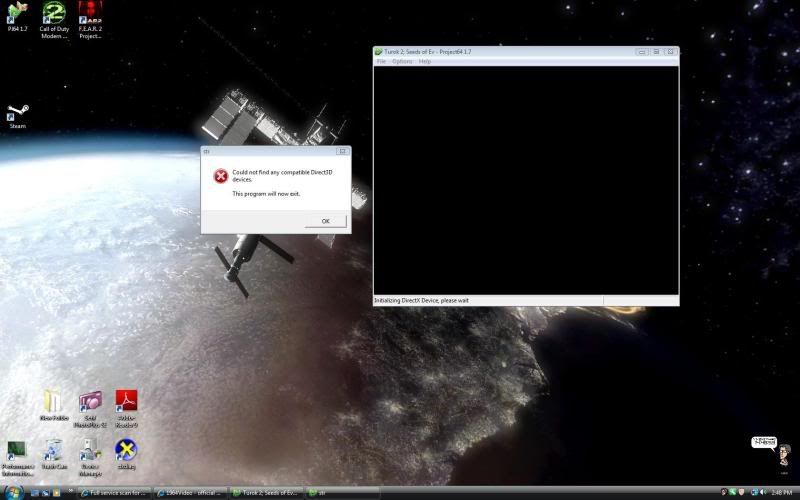
first one says:
"Could not find any compatible Direct3D devices"
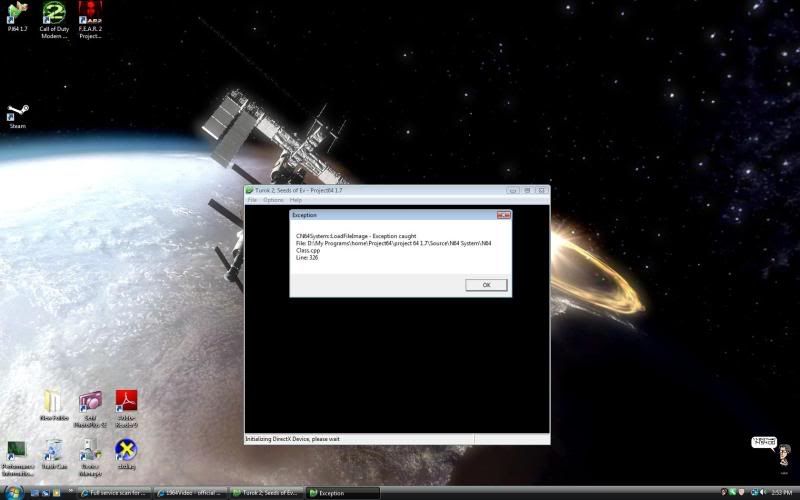
second one says:
"CN64System::LoadFileImage - Exception caught
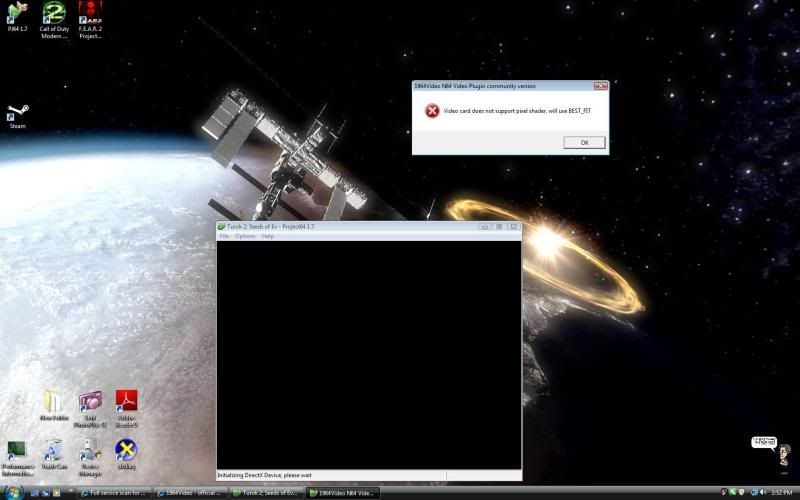
third one says:
"Video card does not support pixel shader, will use BEST_FIT
*EDIT*
tried it with Rice 6.1.4 ~ works fine with hires_textures
tried it with Jabo Direct3D8 ~ works fine with texture_load
tried it again with yours and same messages.
just to confirm i have:
~ Windows Vista Home Premium 32bit
~ DirectX 11
~ Microsoft .NET framework 4 Extended
~ Microsoft Visual C++ 2008 service pack 2
~ Microsoft Visual C++ 2008 ATL Update
~ Microsoft Visual C++ 2010 beta 2 x86
the rest in my sig. thanks for looking into this.
**EDIT**
just tried it with the cache left unchecked.. works fine. at least i narrowed it down.
Last edited by GEROSENE; November 25th, 2009 at 00:02.
ASUS P5Q TURBO INTEL P45 INTEL SOCKET LGA 775 motherboard..
Intel Core 2 Duo processor.. RADEON HD 4650.. 16GB memory
Thanks for the info. The reason for the crash is the same as for the other members that have posted above:
Windows assigns a max of 1GB of heap space to each process. As caching your texture pack requires more than that, the plugin is unable to allocate memory for the textures & crashes. So, for the time being it will just work for packs that require less than 1GB.
I'm sure, it is somehow possible to increase the amount of assigned heap space and also to make the caching more efficient through texture compressing. But as stated in the first post, texture caching is so far just in an experimental state. Personally, I like to concentrate on learning about the usage of the DirectX API atm as I have not yet really worked with it. Thus, improving the caching has low priority to me for now.
But of course, if someone else likes to work on it in the meantime, I would be more than happy.
Last edited by microdev; November 26th, 2009 at 01:22.
** THE FIX **
1.Open System by clicking the Start button , clicking Control Panel, clicking System and Maintenance, and then clicking System.
2.In the left pane, click Advanced system settings. If you are prompted for an administrator password or confirmation, type the password or provide confirmation.
3.On the Advanced tab, under Performance, click Settings.
4.Click the Advanced tab, and then, under Virtual memory, click Change.
5.Clear the Automatically manage paging file size for all drives check box.
6.Under Drive [Volume Label], click the drive that contains the paging file you want to change.
7.Click Custom size, type a new size in megabytes in the Initial size (MB) or Maximum size (MB) box, click Set, and then click OK.
custom sizes should be the size of the Currently allocated memory at the bottom.
hit ok and your done. works like a charm if you have more the 2GB memory.
ASUS P5Q TURBO INTEL P45 INTEL SOCKET LGA 775 motherboard..
Intel Core 2 Duo processor.. RADEON HD 4650.. 16GB memory
hi,
i'm facing an issue when trying to compile the plugin
it's explained here , could you please help me to solve it!
thanks a lot
Yes, this is a workaround - good find! But I'm looking for a solution that solves the issue programmatically - either by configuring VC++ or by changing the heap size through code in the plugin.
You are right, the error means that the linker is unable to find BMGlib.lib.
I'm not sure, what you mean with "the list of libs provided". Did you add the path to BMGlib.lib under options/VC++-directories/library-files? If yes, does BMGlib.lib exist under the provided path?
The path should be <your path to the source code>\1964Video\lib
For contributing your changes to the svn, please PM me the email-address you are using for google code.
microdev
Last edited by microdev; November 26th, 2009 at 01:19.
ok i reimported the project from the svn, and everything works fine now, thanks microdev for your help![]()
it's not super mario, but mario kart that i'm retexturing, i don't know if there is a difference, but i never found any texture that could match the sky, nor did i ever see a mario kart sky hack!
by the way, i was wondering where did the tons of options of former rice video plugin went, in the 1964 video plugin i got from the SVN? isn't 1964 video plugin supposed to be an evolution of rice plugin?