-
January 31st, 2013, 16:02
#1
EmuTalk Member
What is the ratio for an actual SNES screen on TV?
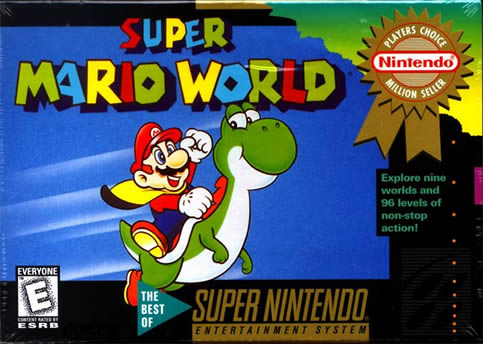
Thanks to all ppl working on the emulator. It gives me chance to recall my childhood memories. And I like to imitate as close to the actual TV screen as possible. I have been using Snes9x with a screen ratio of 8:7, but then I saw from some pics (e.g. the boxart) that the actual TV screen looks wider. I recently tried an adaption of Snes9x, the XE adaption, and found that I can choose a ratio of x1.125 which gives a similar screen as the boxart pic
So what is the actual ratio? I can't remember that clearly the screen ratio I have played with years ago
-
January 31st, 2013, 16:07
#2
16-bit Corpse | Moderator
The internal aspect ratio of the SNES is 8:7. What the console actually outputs is 4:3. What you most likely see on those box shots is analog stretching, which was in itself tied to the analog TV sets of old.
Last edited by Agozer; January 31st, 2013 at 16:22.
-
January 31st, 2013, 18:29
#3
EmuTalk Member
The "correct" (aka without stretching/distorsion) aspect ratio for SNES games is 8:7. TVs normally stretch it to 4:3, but that distorts the picture (squares became rectangles etc).
And by the boxart you mean this?:

Because the boxart's aspect ratio has nothing to do with the actual in-game aspect ratio.
We need a new smile for

-
February 2nd, 2013, 08:46
#4
Sony battery
@Fanatic 64: I can't say for sure, but I suspect the OP was probably referring to the screenshots or pictures of the game on TVs, which are found on some games' boxes.
The standard AR for TVs back when the SNES was current was 4:3, so devs would've designed their games with that AR in mind.
-
February 2nd, 2013, 15:53
#5
EmuTalk Member
I see. Never think that what the actual TV shows is a distorted screen. Now I can well enjoy the emulator with correct ratio of 8:7. Thx!
To better illustrate my question, I should have posted some pics but the message "Post denied." always appears when I tried to insert an image url
Last edited by Orotawuk; February 4th, 2013 at 02:06.
-
February 2nd, 2013, 18:43
#6
Moderator
PAL games were stretched in a similar manner, but most had black bars at the top and bottom, meaning the actual ratio was wider than 4:3. Some games added extra pixels at the top and bottom though to compensate, like Super Mario All Stars.
-
February 9th, 2013, 21:52
#7
EmuTalk Member
How do you run games in 8:7? Only options I seem to get out of bsnes (I use v073) is TV aspect (4:3) or stretch (a horrid looking 16:9). I much rather run in 8:7 for widescreen display.
-
February 10th, 2013, 00:11
#8
16-bit Corpse | Moderator
You can't. The SNES outputs 4:3, and that is what you should be using.
-
Advertising
Posting Permissions
- You may not post new threads
- You may not post replies
- You may not post attachments
- You may not edit your posts
-
Forum Rules