PDA

View Full Version : pokemon stadium 2


steftheserb
December 30th, 2008, 21:37
hiyas

im new emutalk but i recently started to retexture pokemon stadium 2.
i was wondering if anyone would like to help out as this is my first re-texture project but i am ok at using photoshop so im not absolutly crap lol.

i have only done a few textures so far, so i cannot call it a texture pack yet.
i hope to get as close to finnishing retexturing the game as possible

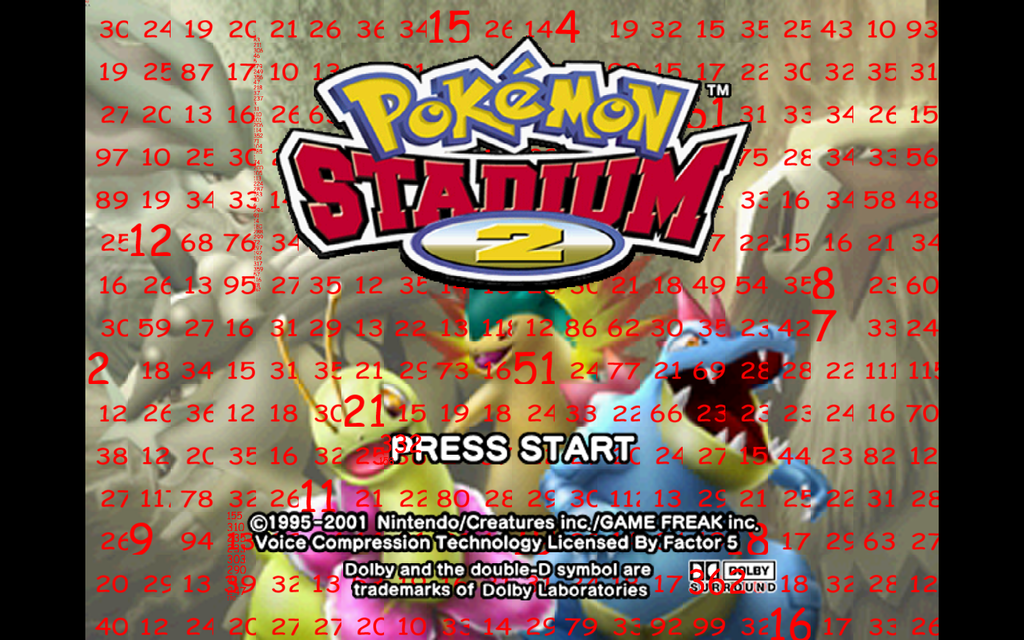
ps. i have tried using hires easer to redo the picture behind to logo but there are so many different textures that i noticed there are 20+ textures in a row 0.o

pps. i have both rice video and jabo's plugin 1.7 so no matter which one you have you can stilll help
yab
December 30th, 2008, 22:16
screenshots at all possible?

microdev
December 31st, 2008, 10:46
ps. i have tried using hires easer to redo the picture behind to logo but there are so many different textures that i noticed there are 20+ textures in a row 0.o


So does this state any problems for you in using HiResEaser? Normally it should handle it w/o problems.

The use of hre should be straight forward & is explained in the release thread.
If there are still any open questions, just ask.

steftheserb
December 31st, 2008, 14:29
screenshots at all possible?

not really as i haven't done many textures but i am starting with the h.u.d

@microdev: i wrote down the numbers but when i started up HiResEaser it showed me a massive picture made up of the textures used for the eyes of the pokemon and not the picture used as the background behind the logo

microdev
December 31st, 2008, 20:50
Hmm, strange. How did you proceed? For assembling the logo select option 2.

You select as type background/logo
Than you have to state of how many tiles per row it consists (field tiles per row)
In the field tile order you insert the ids of your tile line by line starting in the upper left corner. You should have noted the tile ids before after marking the tiles with option 1 and starting up your Pokemon game. The list have to be comma separated. Linebreaks are possible.
A click on run should now assemble your logo and create an additional layer into which you can paint your hires image.
Afterwards you can tile and export the hires image with option 3.


If some parts of that are not working for your, send me

The original textures(upload them to megaupload (http://www.megaupload.com)),
the mapping file (TextureMarks.txt) that you will find in the textures folder after marking and
the order of the tiles (which you inserted under 3).


cheers,

microdev

steftheserb
December 31st, 2008, 23:03
ive tried using textures dumped using jabo's plugin and it worked. the problem is that the logo isn't made of textures so i cannot see the numbers behind the damn logo. als there is a strip going down the picture with tiny textures and i cant see the number at all. here is a screenshot if you can find what the numbers are then i will give you positive rep http://i328.photobucket.com/albums/l349/steftheserb/problem.png

microdev
January 2nd, 2009, 07:35
ive tried using textures dumped using jabo's plugin and it worked. the problem is that the logo isn't made of textures so i cannot see the numbers behind the damn logo. als there is a strip going down the picture with tiny textures and i cant see the number at all. here is a screenshot if you can find what the numbers are then i will give you positive rep
The tiny numbers are the tiles of the logo. It consists of tiny stripes. Try to redo the marking of the textures but set the resize factor to 8x.

steftheserb
January 2nd, 2009, 18:41
thank you i will try again with your settings and i hope it fixes the problem

edit:ive just tried and it made matters worse 0.o

i dont know wether i should leave the title screen and move on to h.u.d

any ideas?

microdev
January 3rd, 2009, 17:10
ive just tried and it made matters worse 0.o

i dont know wether i should leave the title screen and move on to h.u.d

any ideas?


Please zip your dumped textures of the title screen (the unmarked ones) and upload them to megaupload (find the link in my post above). I will have a look and see what I can do for you.

I just read that you were talking about the picture behind the logo and not of the logo. To get hold of the id's behind the logo, you have to replace the tiles of the logo by transparent ones. That way the logo "disappears" & you can read the id's of the tiles behind it. But send me you dumped tiles nevertheless.

steftheserb
January 4th, 2009, 12:54
ok i will upload the dumped textures later

i was worndering if anyone has any ideas of what i can do to the title screen and logo?

Mollymutt
January 4th, 2009, 15:08
All you need to do, is redump the title page, separate the title from the background, then use the hires easer.

steftheserb
January 4th, 2009, 15:41
here is the download link for the textures used in the title screen

http://www.megaupload.com/?d=MA4EPG2B

hope someone can help

steftheserb
January 19th, 2009, 20:49
ive made quite a bit of progress over the past few days! i also found out the grass texture was just solid green lol and same for sand and dirt. here is a screenshot of the new h.u.d in action but i also asked bad randolph to have a go at the h.u.d to see if his fits better

http://i328.photobucket.com/albums/l349/steftheserb/PokemonStadium2Usnap0012.jpg

steftheserb
January 23rd, 2009, 21:45
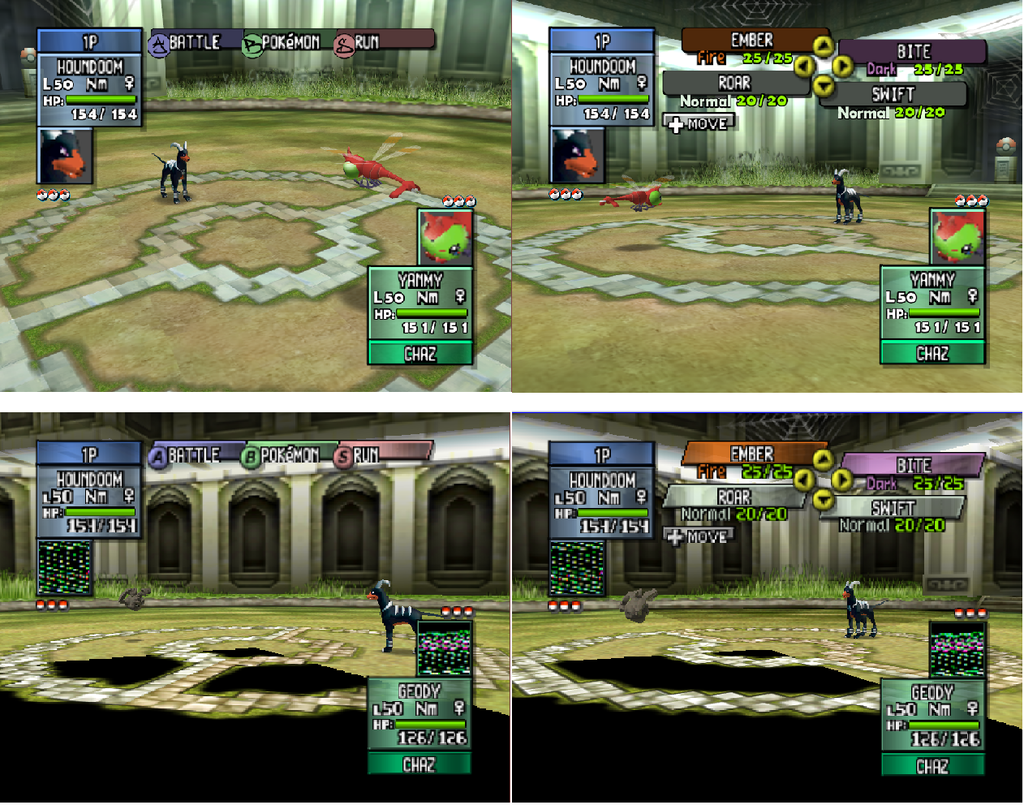
recentley i have been ill so i had a few days off school. during this period of time i have nearly redone the hud and started to do the text. here is a quick picture i made showing the original hud and the new one i hope you like it. earlier i mentioned that bad randolph had agreed to make a few textures for the hud and they were great but i decided to use some of his and some of my textures in the hud so thanks to him

here is the pic
http://i328.photobucket.com/albums/l349/steftheserb/hireshud.png

the bottom ones are the originals taken using jabo's 1.5(thats why the black areas are there)and as you can tell ive nearly finished retexturing this arena.

any suggestions on improving this

geohound
January 23rd, 2009, 22:04
nice work :) keep it up

mode7
January 24th, 2009, 01:33
This starts to look interesting, good job!

geohound
January 24th, 2009, 02:33
are you going to do the pokemon and trainers as wel or just the back ground

steftheserb
January 24th, 2009, 11:55
i cant do much in the way of pokemon them selves apart from the eyes but as for trainers they dont actually apear in the game but i might redo the trainer icons

geohound
January 24th, 2009, 12:27
cool are the pokemon becom also 3d or just pump there collor

steftheserb
January 24th, 2009, 13:35
they are already 3d!!!!!!!!! that was the whole point of the game. you could import your pokemon from your gameboy and battle them i full 3d

geohound
January 24th, 2009, 15:44
i dont get that work dont knwo how to do that otherwish i would have not needed te link program for the visualboy advance if i get work i could trade my pokemon on pokemon stadium :p

steftheserb
February 3rd, 2009, 21:30
here's a quick update

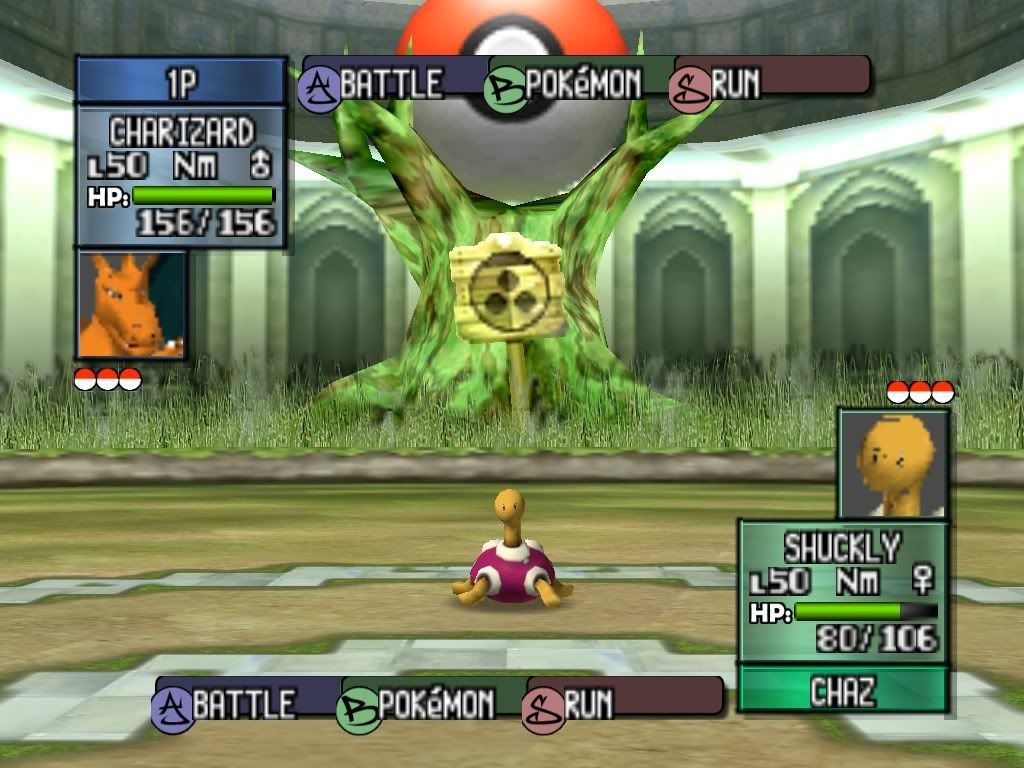
http://i328.photobucket.com/albums/l349/steftheserb/falkenersgym.png


and here is another

http://i328.photobucket.com/albums/l349/steftheserb/bugsysgym.png

ReplayTy
February 4th, 2009, 01:57
looking good, all the pokemon "mug shots" in battle are gonna take a while though, huh?

steftheserb
February 4th, 2009, 16:16
looking good, all the pokemon "mug shots" in battle are gonna take a while though, huh?


yeah they all animated as well :( so i probably wont do those unless some one is willing to help

ReplayTy
February 5th, 2009, 04:13
I think I know someone...

steftheserb
February 10th, 2009, 18:47
im having problems dumping the boxes used in the hud

btw once ive done the boxes and redone the numbers the hud is 100% finished so i might release it but its for jabo's plugin 1.7

steftheserb
February 12th, 2009, 18:16
ok i have finished all of the hud exept from a few textures that wont dump so i tryed the "mugshots" and ive redone a few then put them through a filter that makes the look like hand painted portraits and it works really well so im probably sticking to that

ReplayTy
February 12th, 2009, 23:56
good idea with the portraits! Right now, I'm imagining what those pics will look like cel-shaded, a mystery that will have to be held until this is finished.

ReplayTy
February 18th, 2009, 03:44
I'm gonna help with this, just need my flash drive and the download.

EDIT: Got some textures, now...Just need a better ROM.:cheers:

steftheserb
February 18th, 2009, 20:27
are you using pj 64 1.7? because if i use rvp then it just messes the game up so i was forced to use pj64 1.7 so that might be a problem.

i also found out that the only certain parts of the portraits are animated so you have a few base images then a few pics of the details like eyes that are animated

ReplayTy
February 18th, 2009, 23:32
I got 1.7

steftheserb
February 19th, 2009, 21:08
great here is a link to a download of what ive done apart from the numbers as i accidentley screwed them up when i was re-doing them so here is the pack

http://www.megaupload.com/?d=H1FL97V6

ReplayTy
February 20th, 2009, 00:56
megaupload doesn't work well here, rapidshare does though.

steftheserb
July 2nd, 2009, 22:44
i havent had much time to work on the project due to being snowed under with homework and the fact the windows vista decided to wipe the hard drive but luckily i had a back up of the project and ive madde a few minor updates which ill post later

shaoranmps
July 11th, 2009, 06:51
i really wish this game to be retexture good luck men

steftheserb
July 14th, 2009, 16:50
some time over the next two weeks ill release what ive done so far as im going on holiday for 5.5 weeks and i wont have any means of going on the internet

steftheserb
July 23rd, 2009, 20:26
sorry that there hasnt been a release. i havent been able to do anything as i have been ill and haven't got round to finishing anything at all. sadly i wont have internet acess for 5 weeks. im sorry guys and i sincerly apologise