
View Full Version : Failed to open Flashram
triplethreat
July 22nd, 2006, 01:36
I use PJ64 on a computer with appropriate specs. I was running Starcraft 64.
Recently, an error message that reads: "Failed to open Flashram" apears shortly after startup.
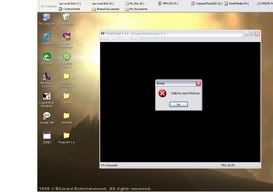
http://i20.photobucket.com/albums/b213/jivjago/Error.jpg
chesshaha
July 22nd, 2006, 02:02
it seems like it's a bad rom, re-get the rom again, tell me if it worked.
Clements
July 22nd, 2006, 02:04
Looks like a corrupt native save. Suggestions:
- Try removing the save (STARCRAFT 64.fla) from the save folder and retry.
- Make sure you are not using cheats.
- Make sure the rom you are using is not a bad dump.
- Make sure the save type has not been changed. If unsure, redownload the latest RDB file (to reset to defaults) from here:
http://www.pj64.net/main/download/func,select/id,7/
chesshaha
July 22nd, 2006, 02:09
why the hack ur play starcraft on n64, do you want a real starcraft that works online, talk to me maybe i can sell or gift my starcraft to you.
Smiff
July 22nd, 2006, 02:53
actually the most common cause of this afaik is #1 i've just added here
http://www.pj64.net/main/content/view/403/110/
triplethreat
July 22nd, 2006, 03:19
My ROM is from a reliable source, so that is not the problem. I redownloaded it and the same problem is present. I am not using any cheats either. Itried to delete the save file, but another program was using it. (i turned of all my programs and still got this error)
Is the RDB file a word document or an independent program?
Smiff
July 22nd, 2006, 03:21
read my above
good night.
triplethreat
July 22nd, 2006, 03:54
Yeah, you posted that as I was writing my response. I went to smiffs link and my problem is solved. Thanks everybody, for posting.
Much gratitude to all!
ScottJC
July 22nd, 2006, 04:09
In future if you're going to post screenshots could you please make them large enough to see, would be more helpful that way. :P
I am glad you got your issue fixed though.
triplethreat
July 22nd, 2006, 04:22
Yeah, I thought that it would only snap the error message. But, even then I thought it would be clear enough to see.
Poobah
July 22nd, 2006, 04:52
Press Alt+Print Screen to capture only the current window.
triplethreat
July 22nd, 2006, 05:26
Thanks a lot. I appreciate it.
Powered by vBulletin® Version 4.1.10 Copyright © 2012 vBulletin Solutions, Inc. All rights reserved.